Features
Everything RotaMate can do
A rotation has an order to it. You join a unit, book the month, trade what you cannot work, turn up, and get counted. Scroll, and the app shows you each part in that order.
65 features · all free


Chapter 01 of 8: Day one
Make it yours
It starts with a code from your coordinator. A minute later the app is yours: a glance to sign in, and a face your friends will know.
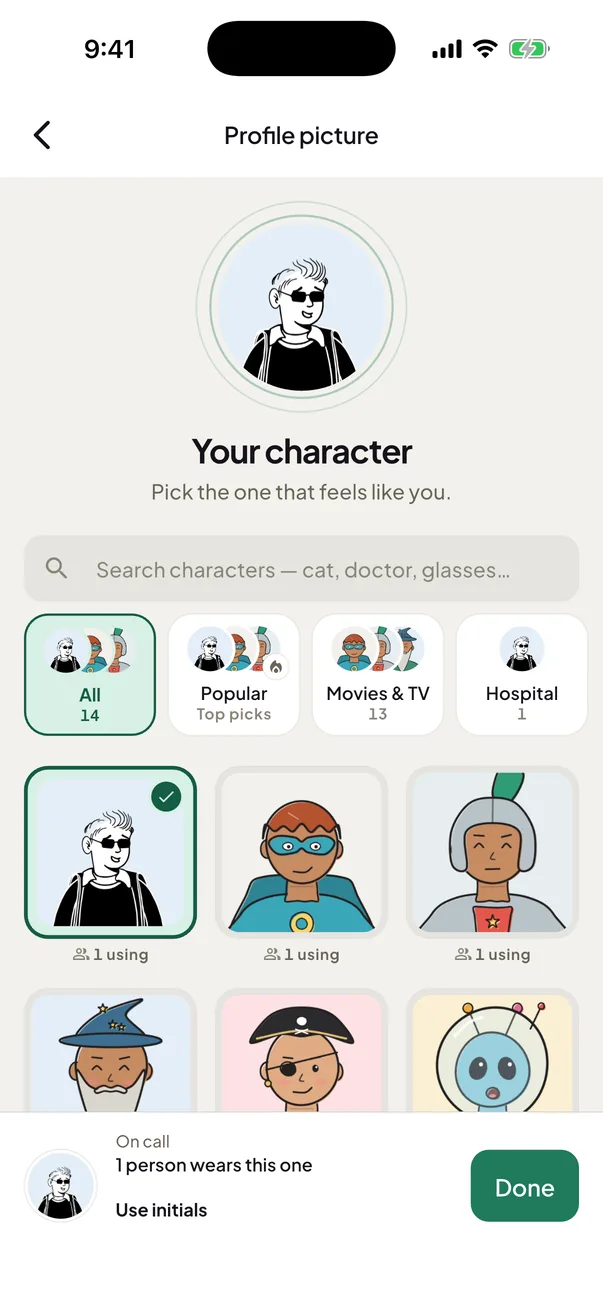
Pick your character
Pick a character your friends will see.
Hundreds of drawn characters, with nothing to upload.
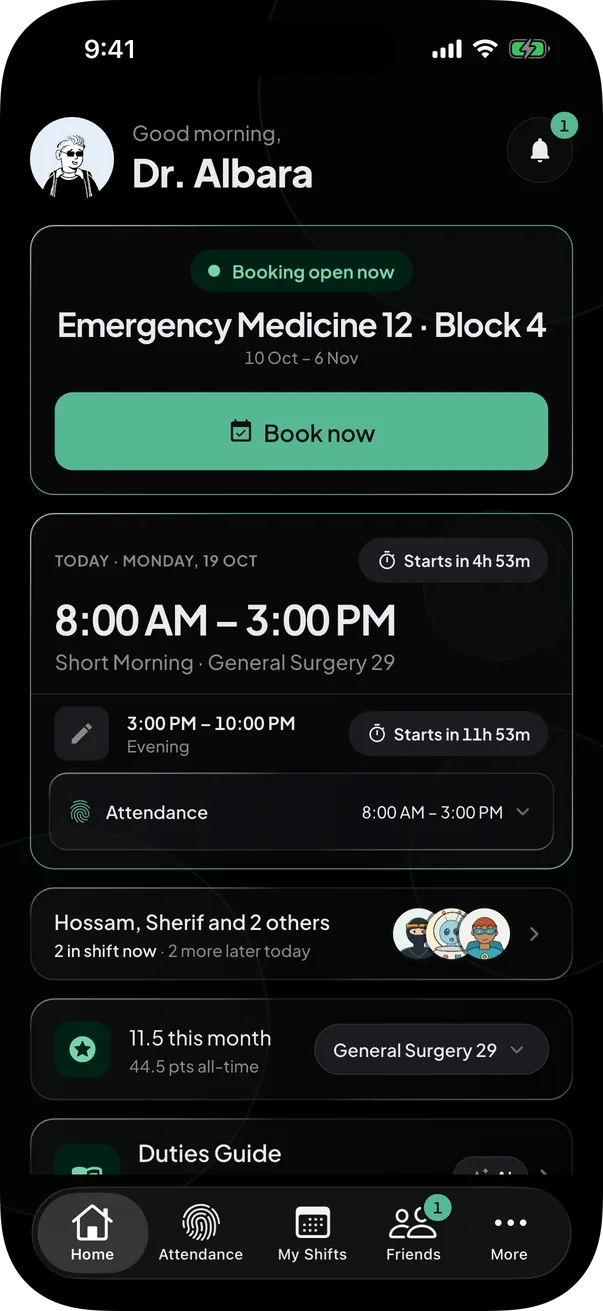
Dark mode
Easy on the eyes on night shifts.
Tap the sun or moon at the top of Home to switch.
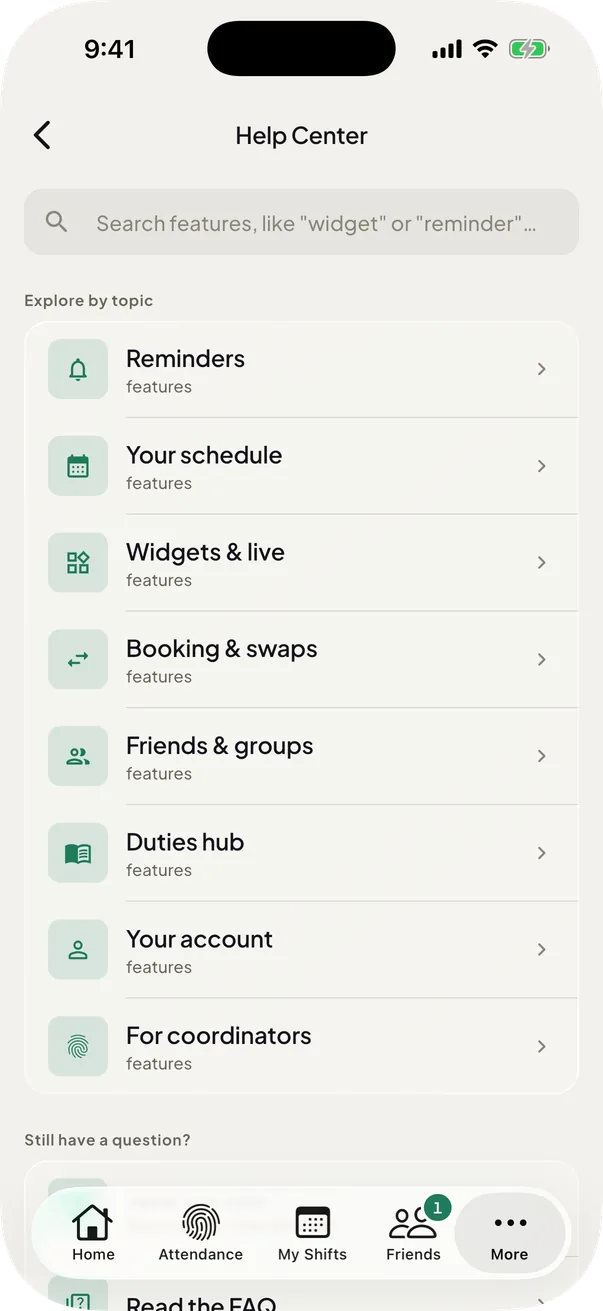
Guided tours
A guided tour of every screen.
Start a tour any time from More → Help Center.
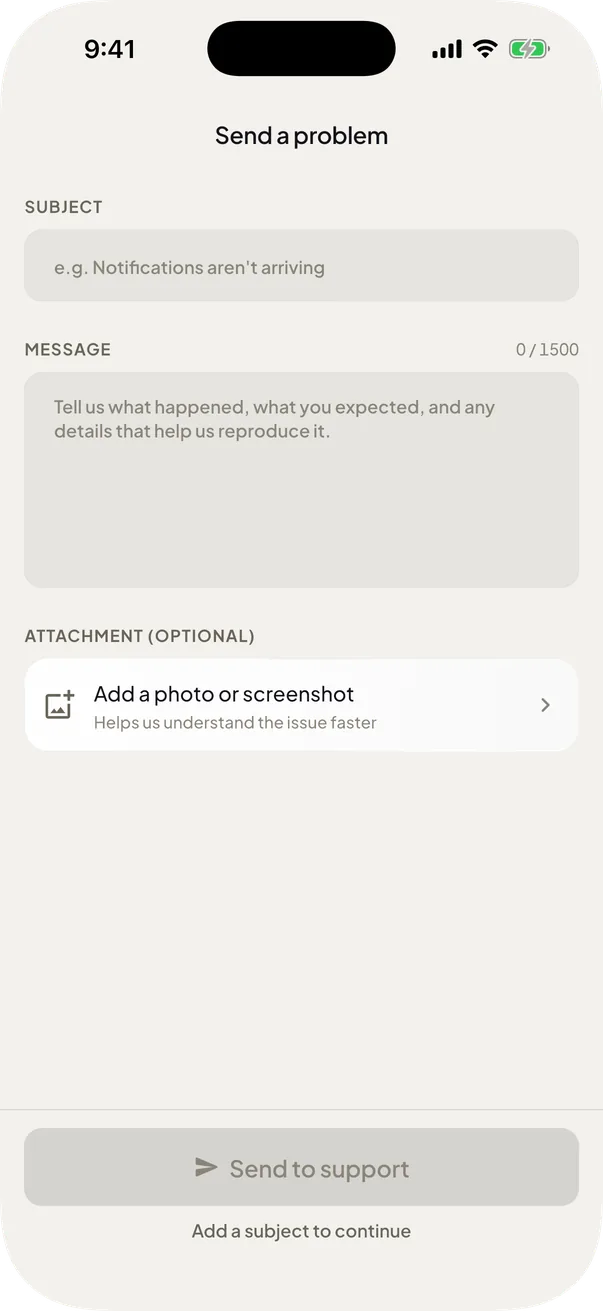
Talk to the team
Message the team, photo and all.
Send a problem with a photo and get a reply right in the app. More → Help Center also has Support on the web.


Also in Your account
Sign in with your face or fingerprint
Sign in with a glance.
It turns on by itself when you sign in with your password, so next time you skip typing it.
Chapter 02 of 8: Booking day
Get the shifts you want
Then a cycle opens. Book the second it does, trade what you cannot work, and watch the points add up.
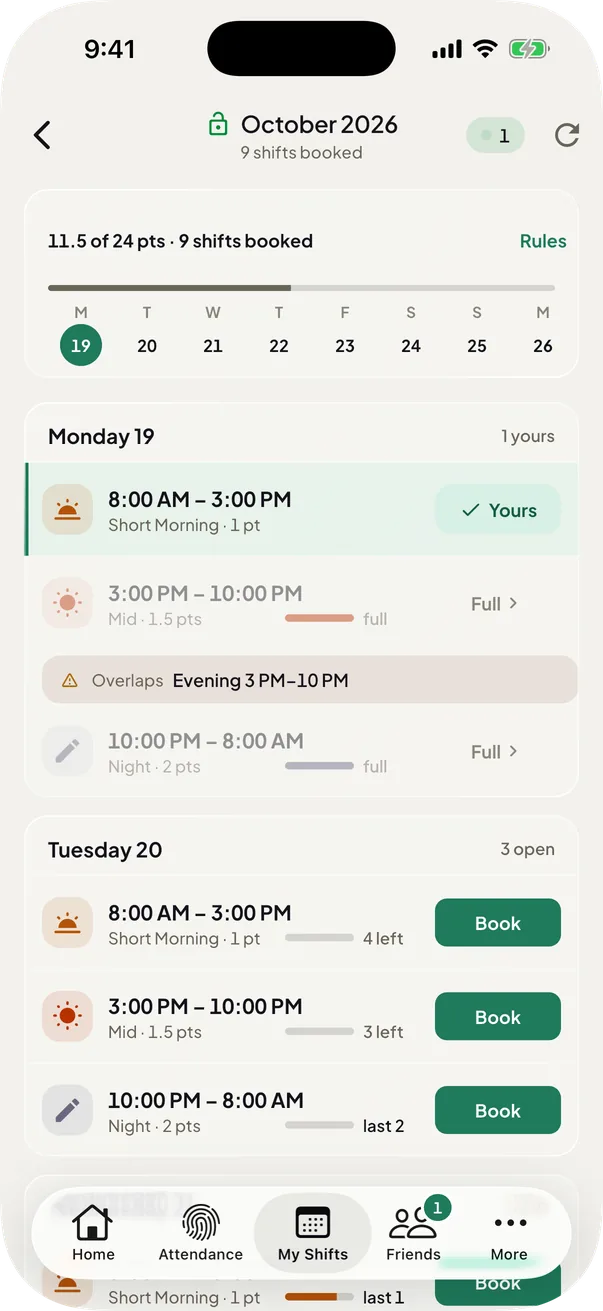
Book the moment a cycle opens
Book in one tap the second it opens.
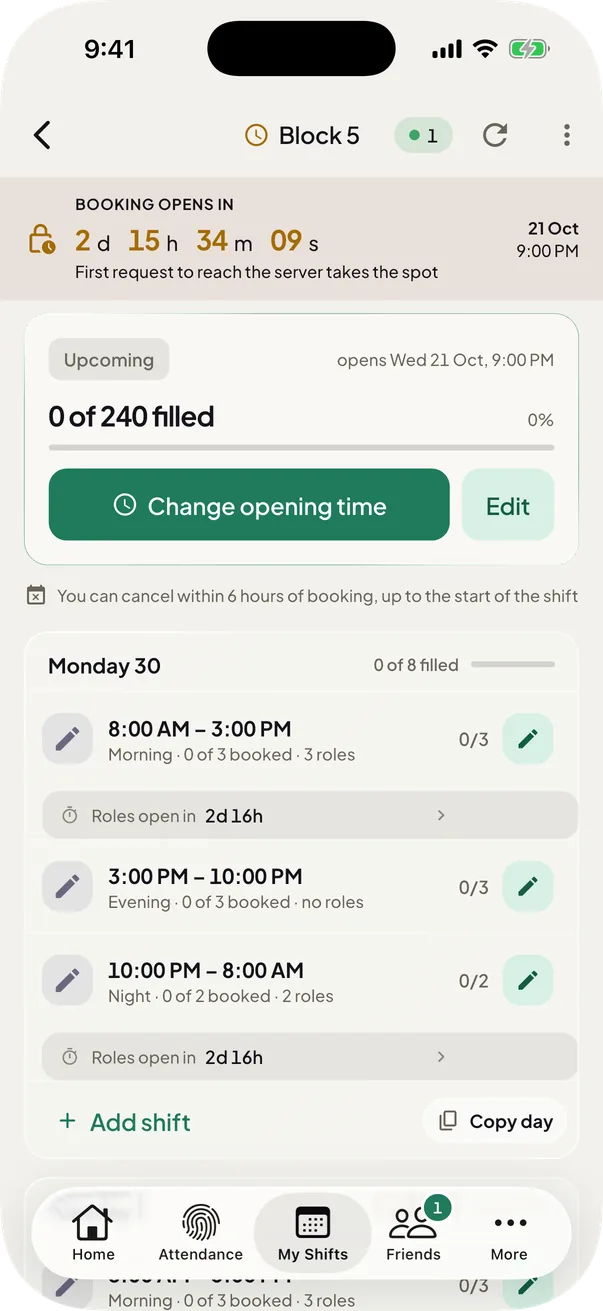
A live countdown shows when booking opens, and the card shows how long you have to cancel.
Pick your role in a shift
Choose your role once you book.
Each role shows the places it has left. A cycle can open role picks later than booking, and tells you when. You are told 5 minutes before the roles of a shift you booked open.
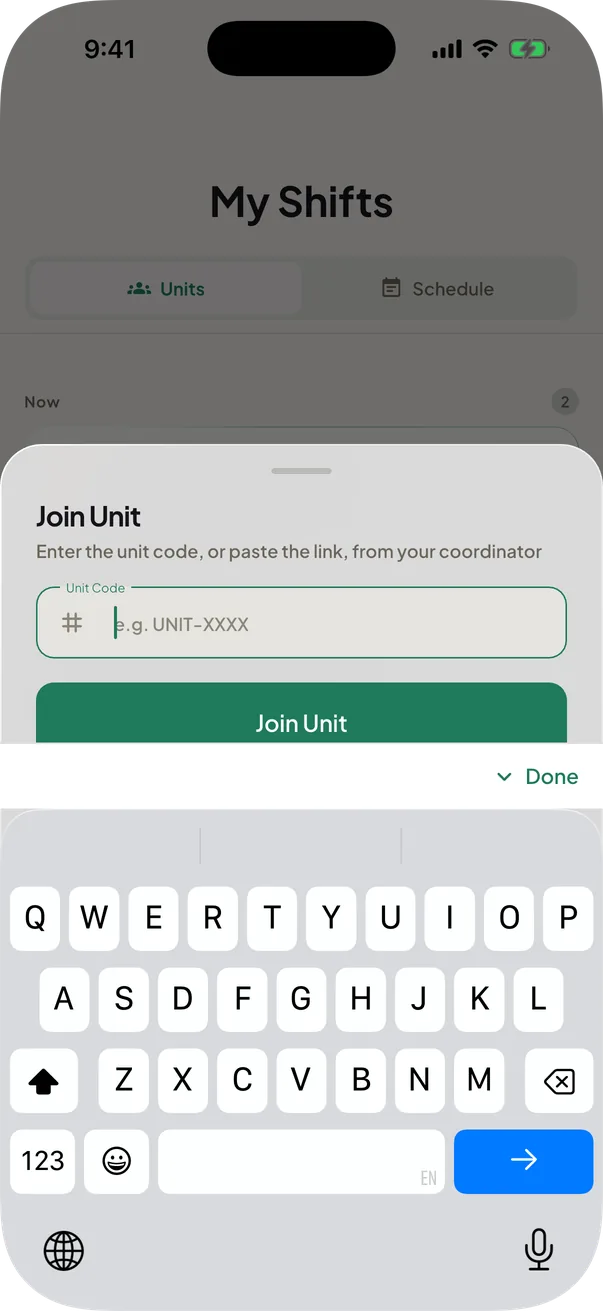
Unit codes work anywhere
Paste a unit code anywhere to join.
Paste one in a chat or a search bar and RotaMate shows you how to join. A unit also has a link: Copy link hands it over with the code alone under it, and one tap on the link opens the Join unit sheet.
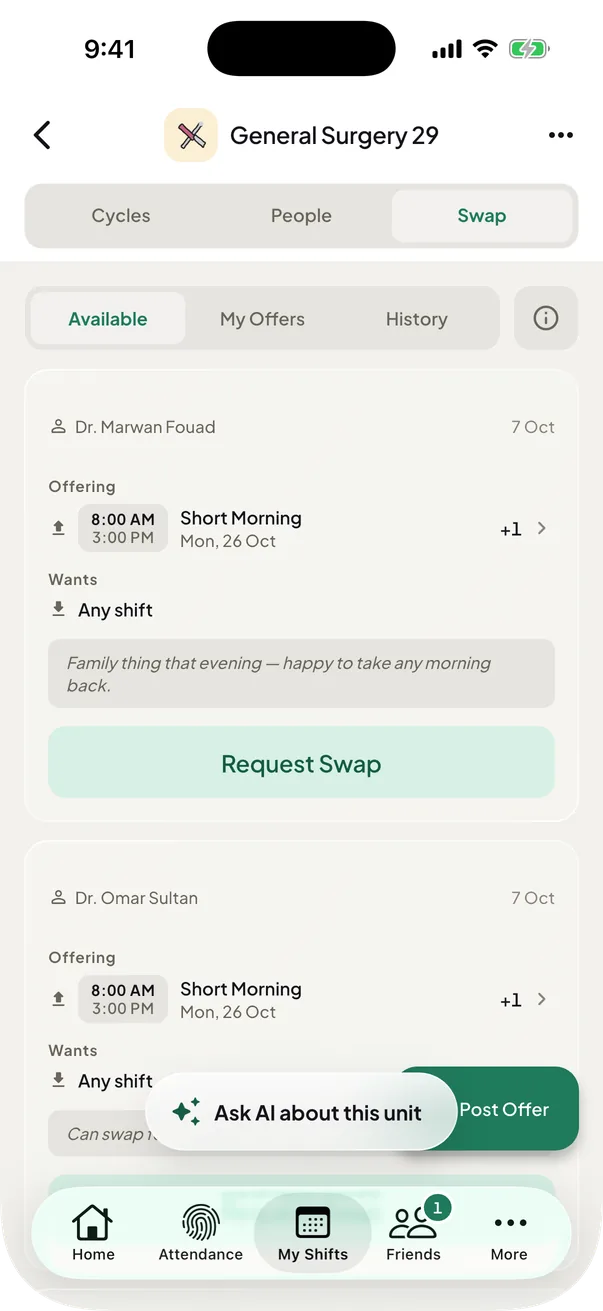
The swap board
Can't make it? Post it for a swap.
Only the people who can take the shift are told about your offer. Swaps stay open after booking locks, unless your coordinator freezes them.
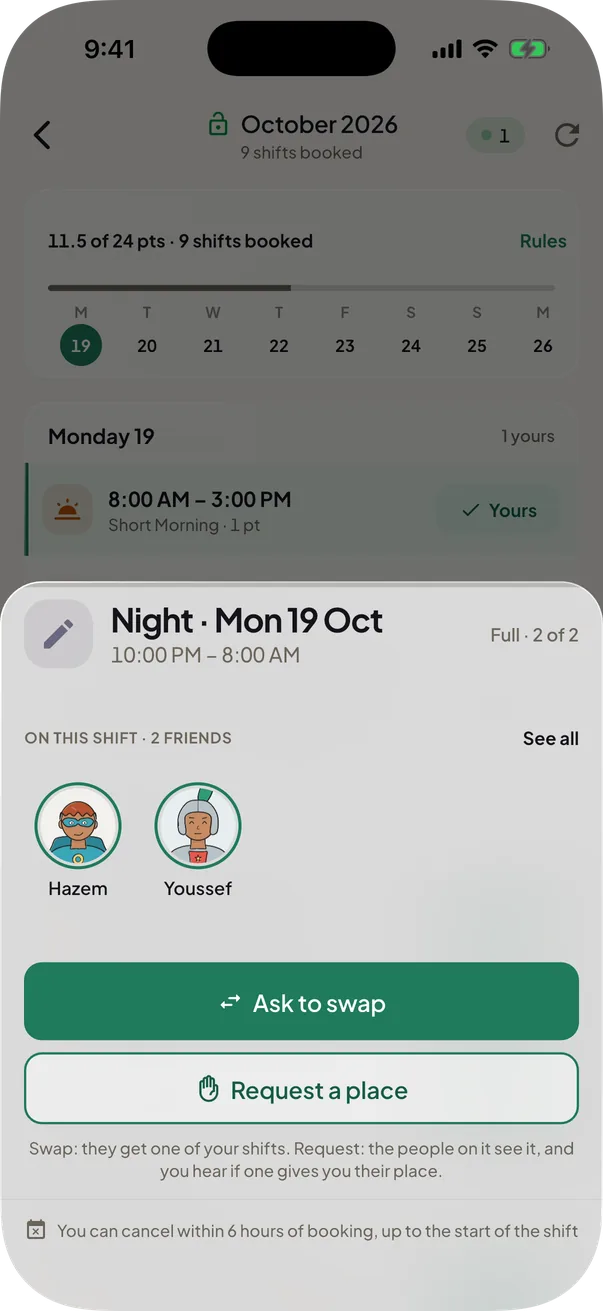
Ask for someone's shift
Ask for a place, or offer a trade.
Tap a booked name on a full shift to ask for their place or offer a trade. They answer from their inbox.
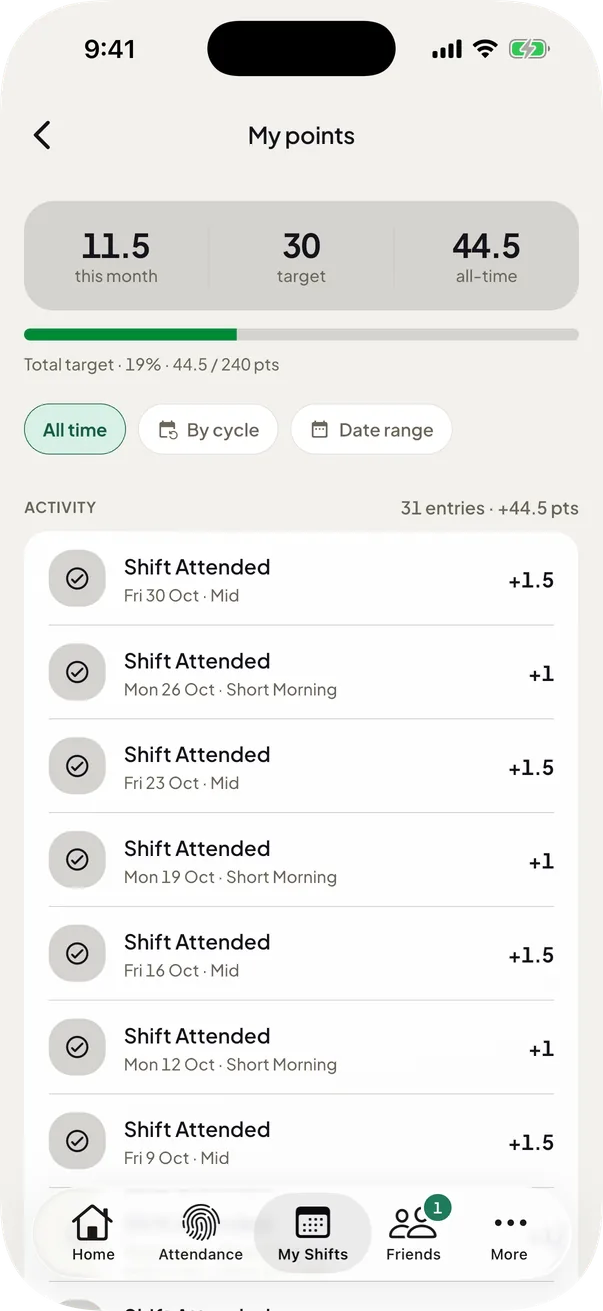
Your points
Every shift earns you points.
Each unit's Points tab holds this month's total and your full history. Points come in halves, like 6.5.
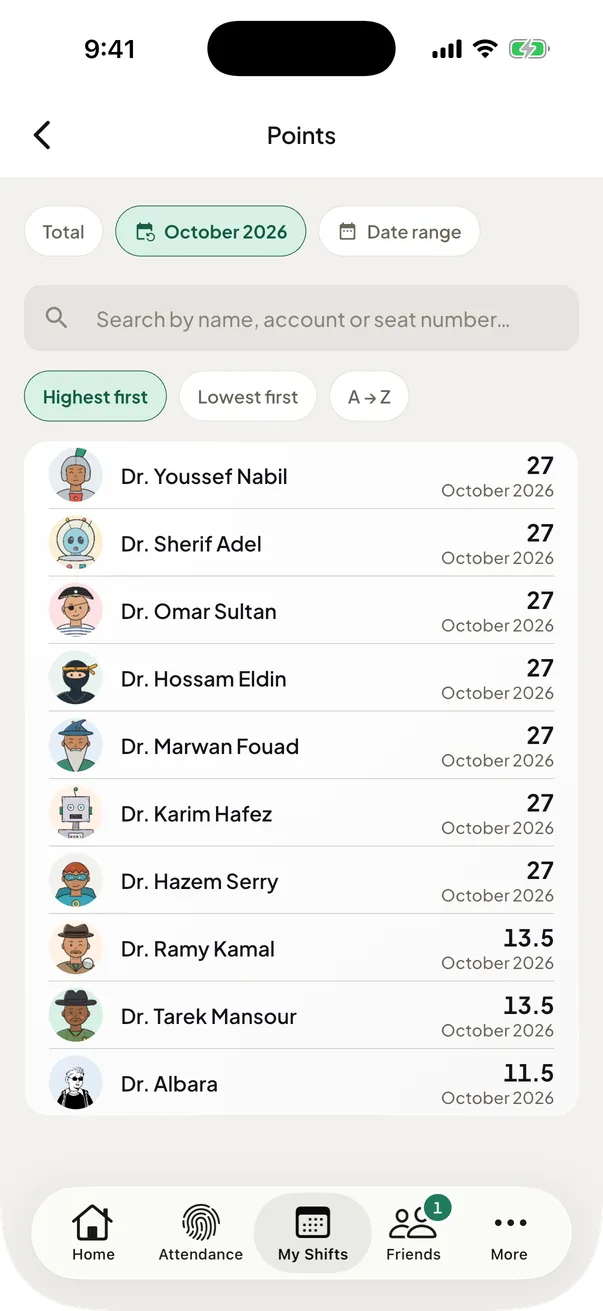
Points by cycle or by date
See every member's points, by cycle or dates.
Every member sees every member's points on the Points tab, and everyone has the filters. It opens on All time. Tap your own row for your targets and history.
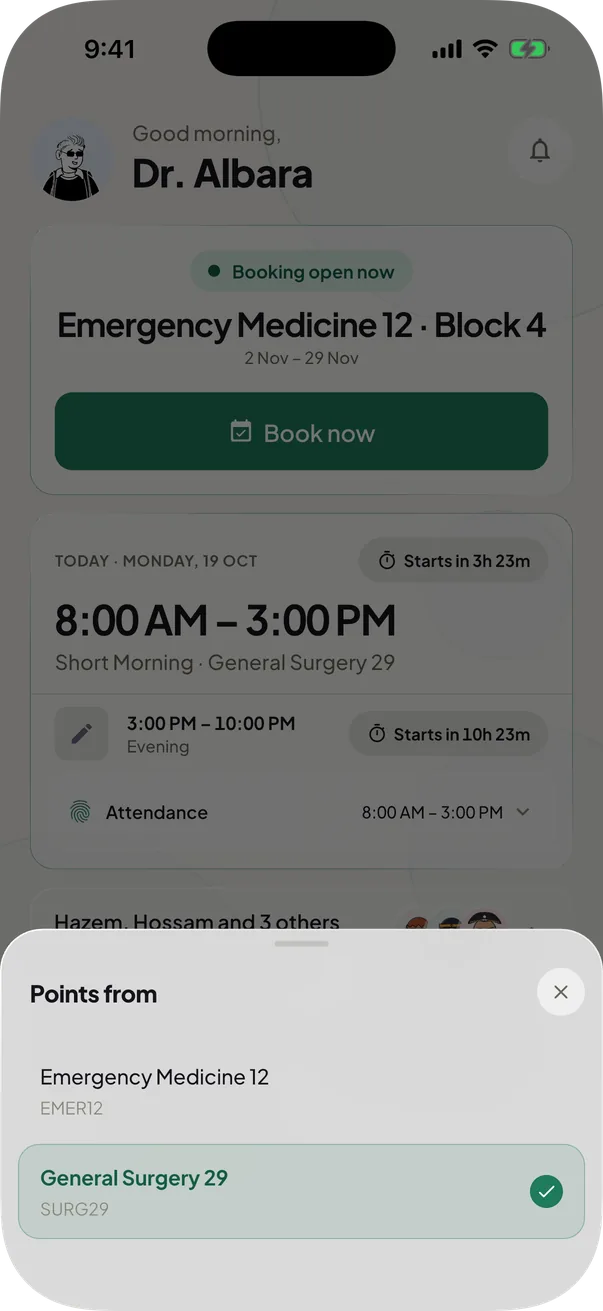
Choose the unit on your points card
Home's points card has its own picker.
The card remembers the unit you choose. Pinning a unit only orders your units list.


Also in Booking & swaps
Ask AI about your unit
Your points, your shifts, who is on. Just ask.
A beta helper for easy questions about one unit: points, shifts, who is on and the rules. Type or speak, in English or Arabic. It can get things wrong, and you get 20 questions a day.
Chapter 03 of 8: Your month
Every shift in one place
Every booked shift from every unit lands in one list, beside the ones you add yourself, with every clash flagged.
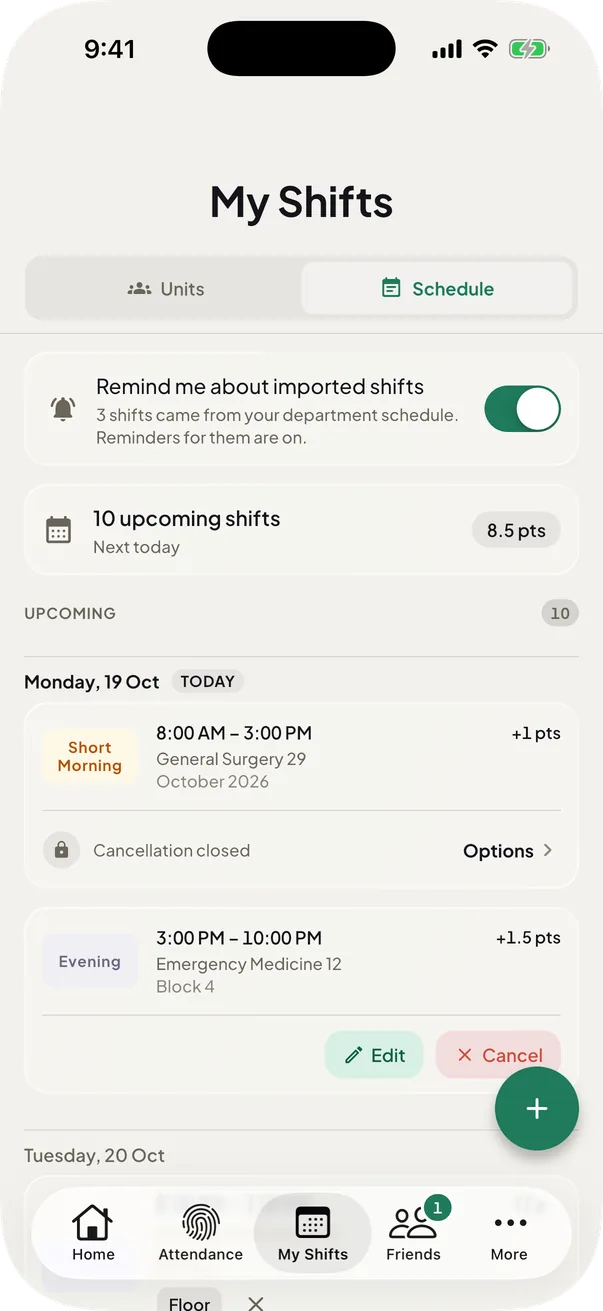
All your shifts in one list
Every shift, every unit, one timeline.
The Schedule tab holds every booked shift from every unit, plus the ones you added yourself.
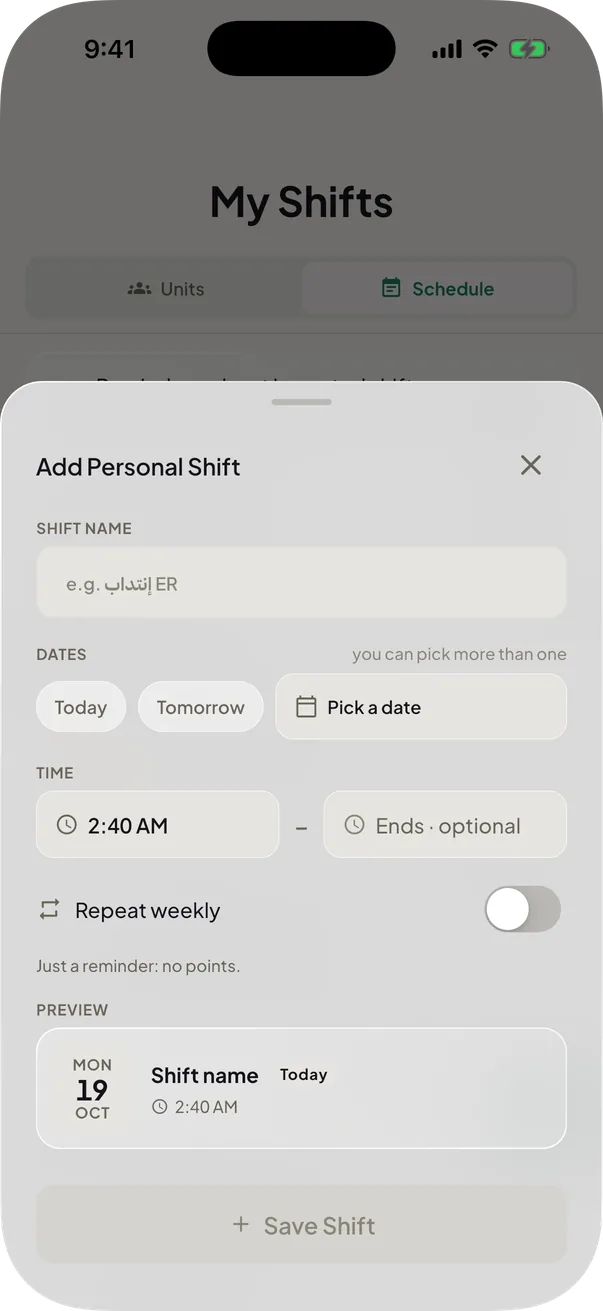
Add your own shifts, weekly
Add your own shifts, or repeat them weekly.
Add shifts outside any unit. Pick several dates at once, or repeat one weekly for 26 weeks.
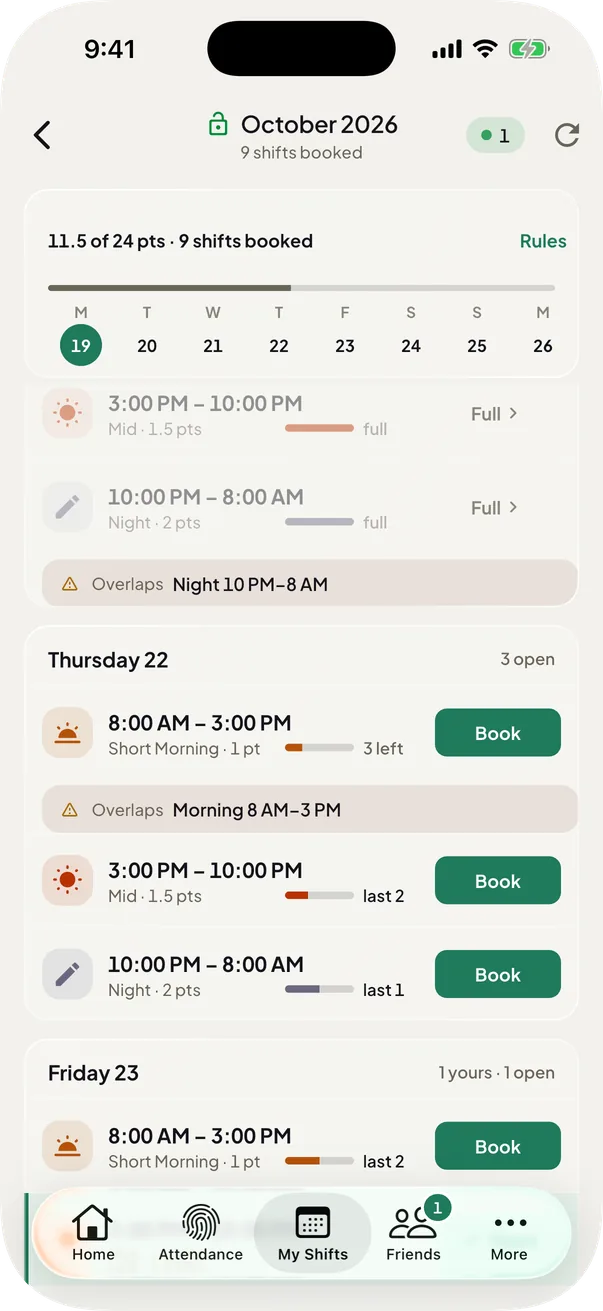
Warnings when shifts overlap
Clashing shifts are flagged for you.
Each clashing shift names the other and its time, overnight ones included. A coordinator sees it before assigning you a shift.
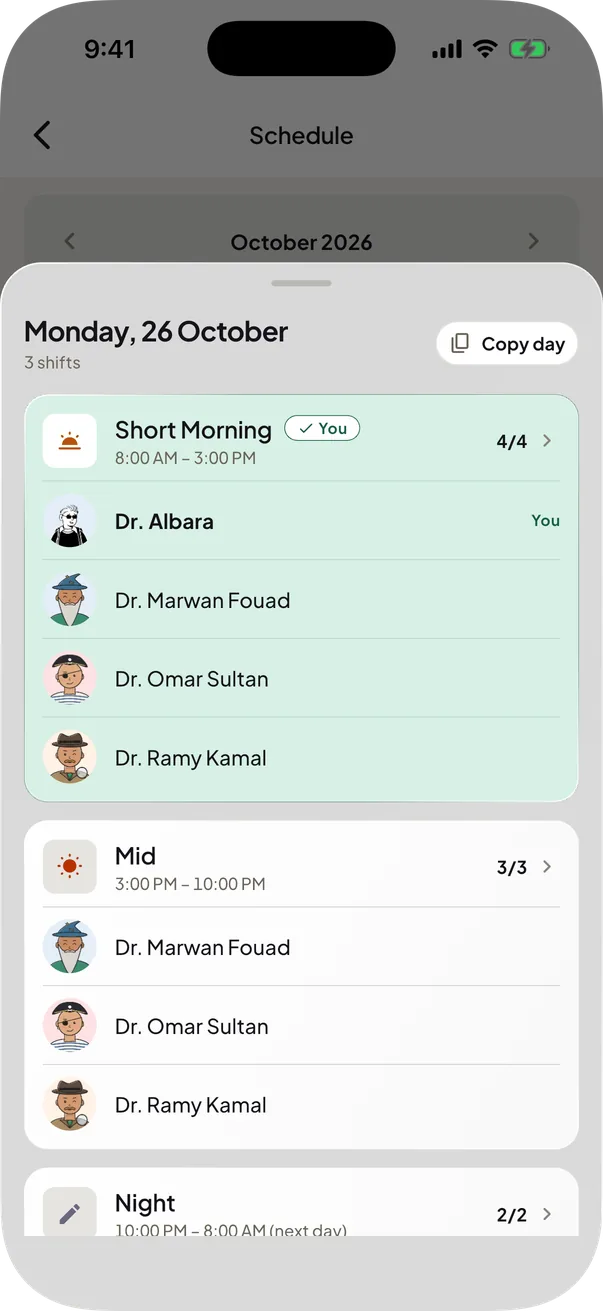
Your unit's month at a glance
See who's on, then copy the day.
A month grid marks your shifts. Tap a day for who is on, then copy it as WhatsApp-ready text.


Also in Your schedule

Shifts in your phone calendar
Your shifts, right in your phone calendar.

Chapter 04 of 8: Your batch
Work alongside your batch
A rotation is easier when you can see who is on with you, share a group's shifts and talk in the same place.
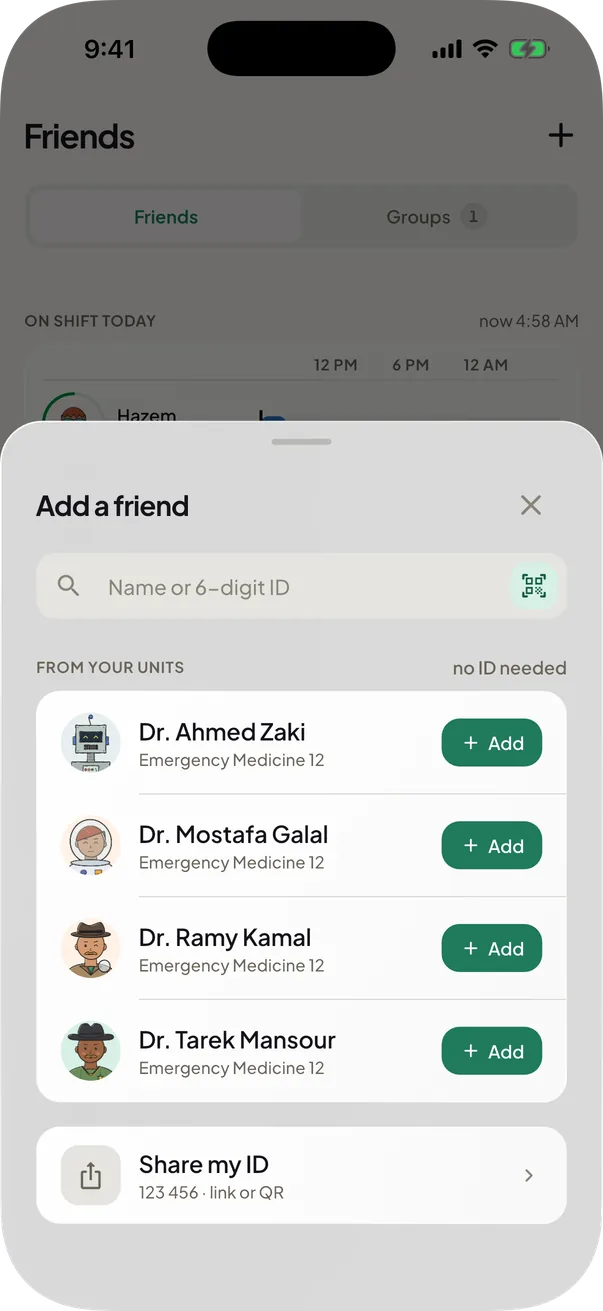
Add friends by ID
Add friends with their 6-digit ID.
Friends who are on shift now come first, with a green ring. Someone in your unit or group already? Tap Add friend on their card, no ID needed.
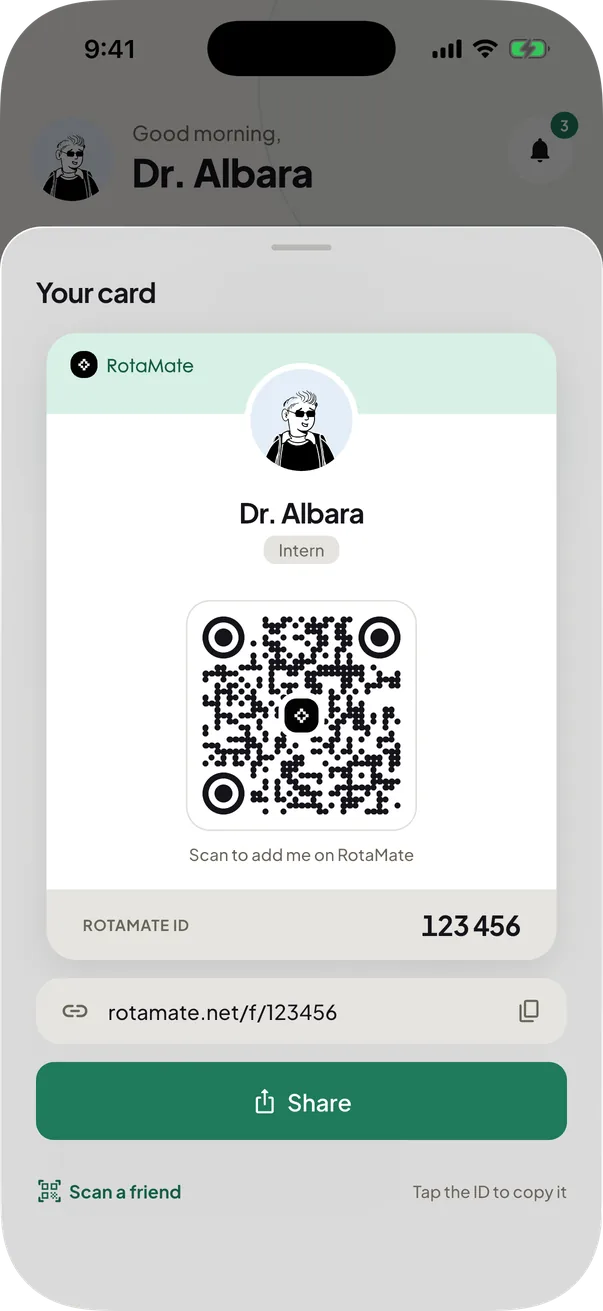
Your card
Share your QR, get added in seconds.
Show the QR code, share your card as a picture, or tap Copy link. Whoever opens the link sees your card and can add you.
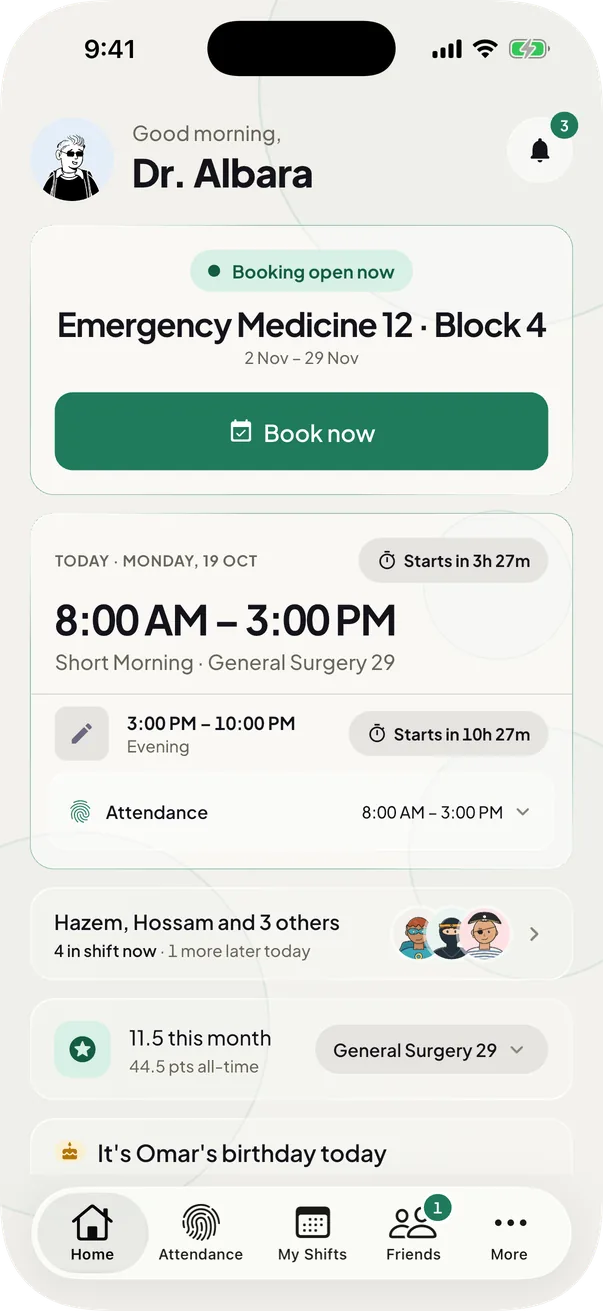
Friends on duty today
See which friends are working today.
Home marks who is on today and who is working right now. Tap one to see their shift or message them.
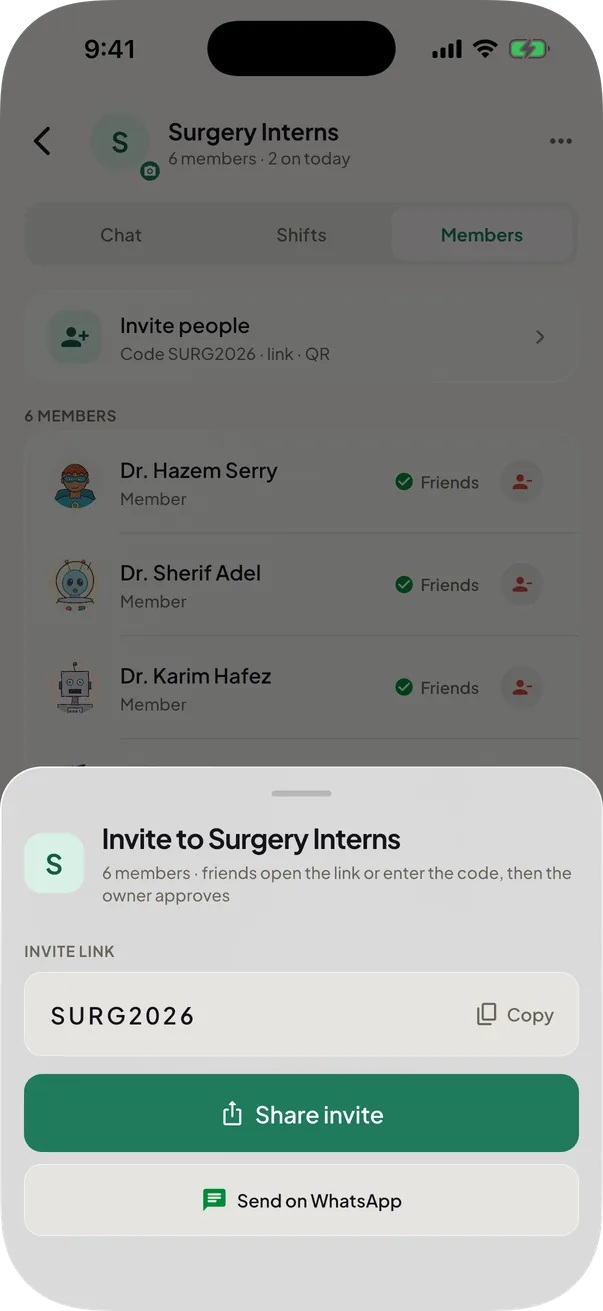
Groups with your batch
Groups for your batch, with a join code.
The owner approves everyone who joins with the code or the group's link. Share invite sends both.
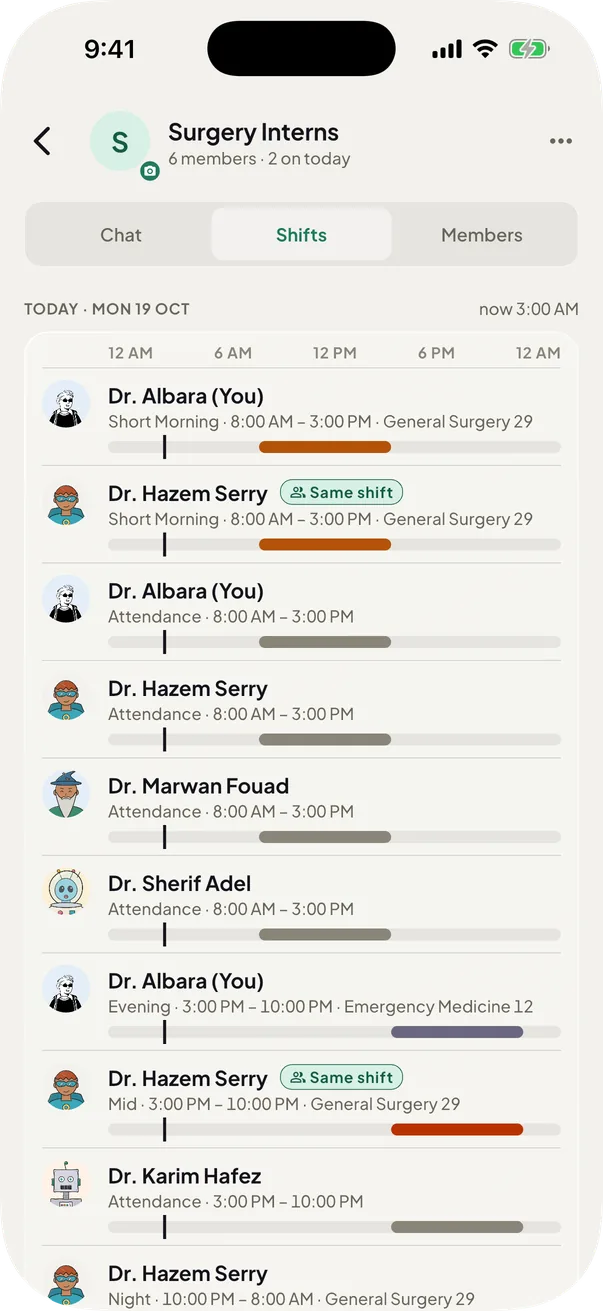
See your group's shifts together
Everyone's shifts, in one group.
A group's Shifts tab holds everyone's upcoming shifts and attendance days, and marks who shares yours. Each day is drawn across its hours, one line per member. Your own show there once you have shifts or Attendance is on.
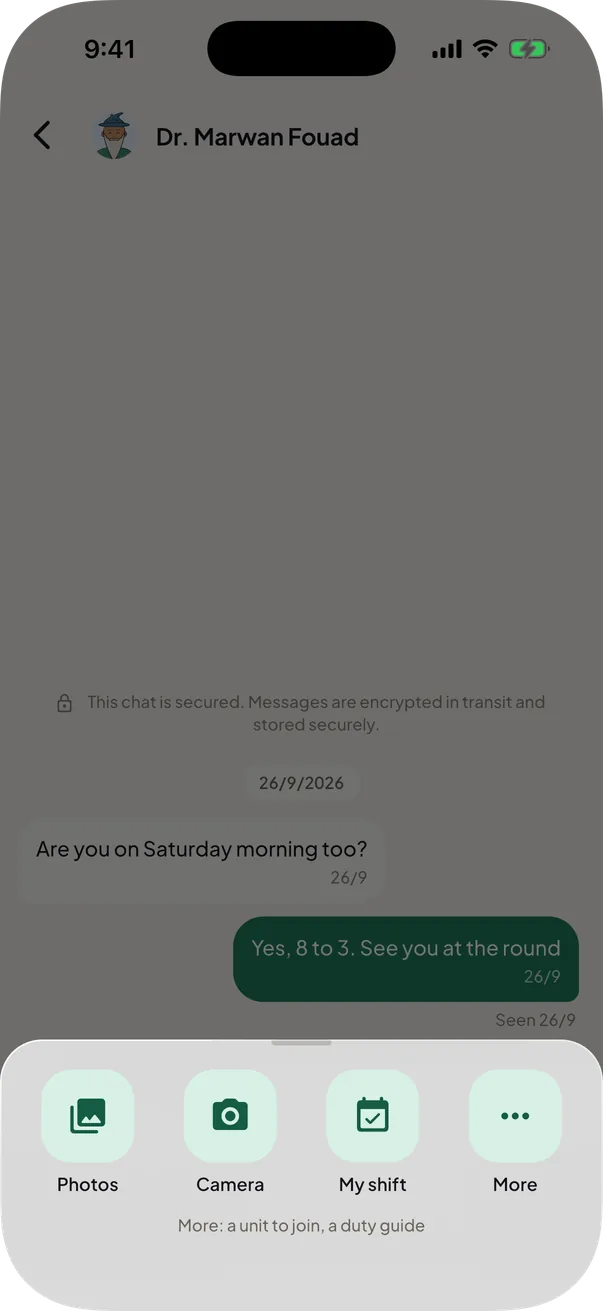
Chat that knows your shifts
Reply, react and share shifts in chat.
Swipe a message to reply, double-tap to like it, send and save photos, or tap + to share a duty guide, a unit or one of your shifts.


Also in Friends & groups
A friend's whole month
Their shifts and attendance on one calendar.
A friend's page is a month: their shifts, their attendance, and the days you are on together. It covers this month and the next two.
Friends on your shift
30 minutes before, see who is on with you.
Thirty minutes before any shift, booked or your own, one notification names the friends on duty at the same time, in any unit. Tap it to open that friend, or your Friends list when there are several.
Friends' birthdays
A cake beside their name, and a wish ready.
A cake sits beside their name and you are told from 7:00 AM. The chat opens with a wish already written, and nobody is shown the date itself.
Excel sheets in group chats
Send the office's sheet to your group.
Send an .xlsx sheet into a group chat. Every member can open it, or tap Import my attendance to fill their own month from their own row.
Links that open the app
Share a unit, your card, a group or a template.
Each one has a rotamate.net link. One tap opens RotaMate on the right sheet, and without the app the link opens a page that leads to the download.
Chapter 05 of 8: On time
Never miss a shift
Shifts are half of the month. The other half is the attendance your office counts, and RotaMate reminds you of both.
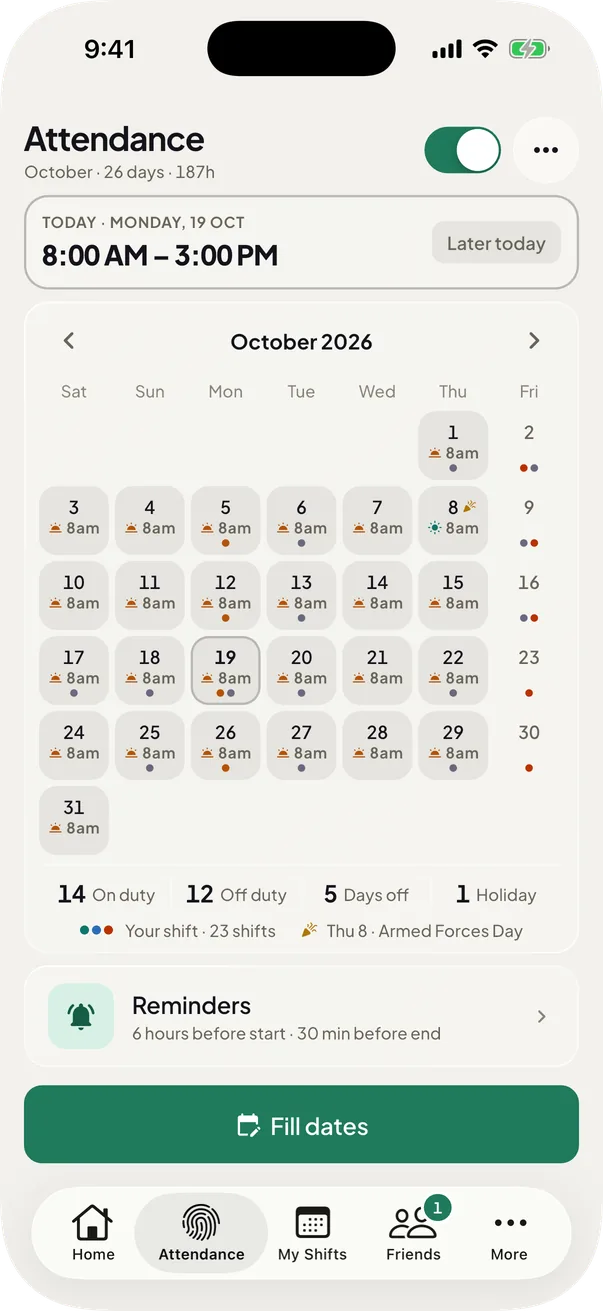
Your month
What you attend on every date, at a glance.
The Attendance month shows the session on each date, with your booked shifts marked under it. A date you have not set is a day off.
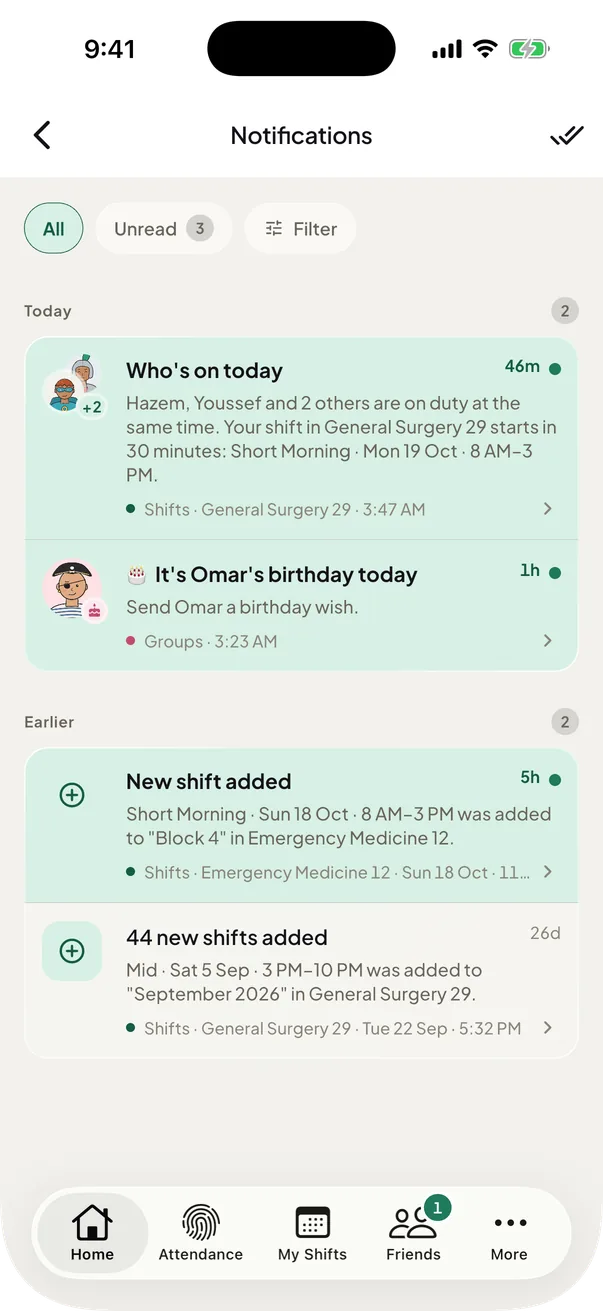
Everything in one inbox
Requests, swaps and invites in one place.
Accept or decline a request straight from the list.
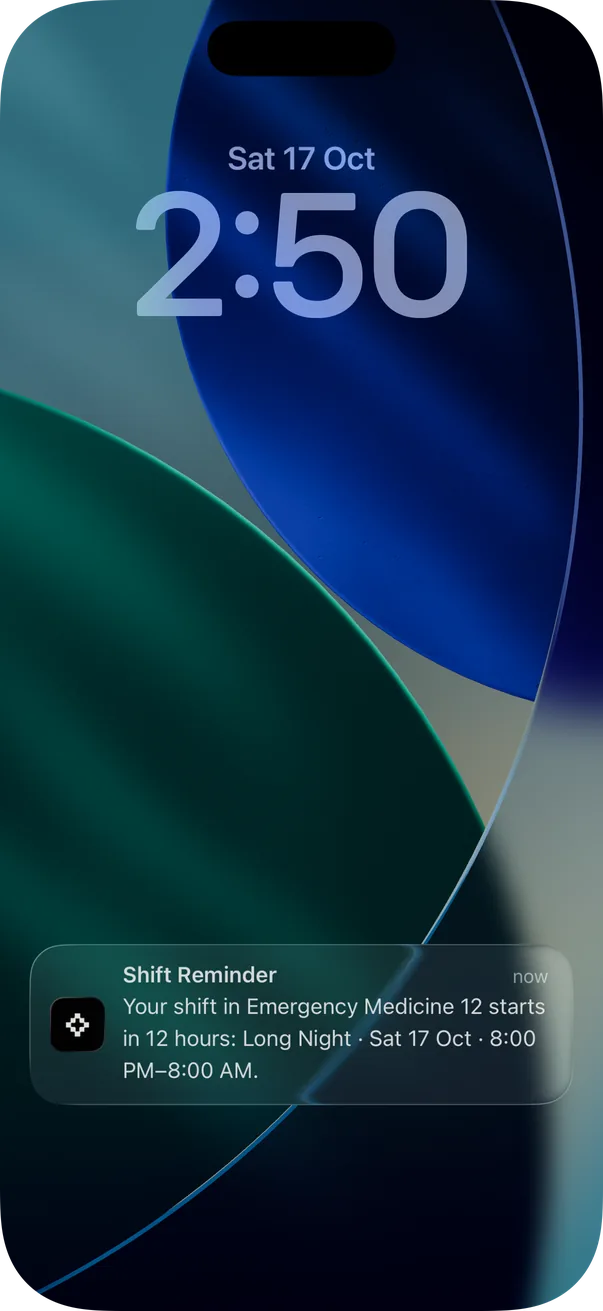
A reminder before every shift
A heads-up 12 hours before every shift.
The reminder carries the shift name, its time and the unit. Keep notifications allowed for RotaMate.
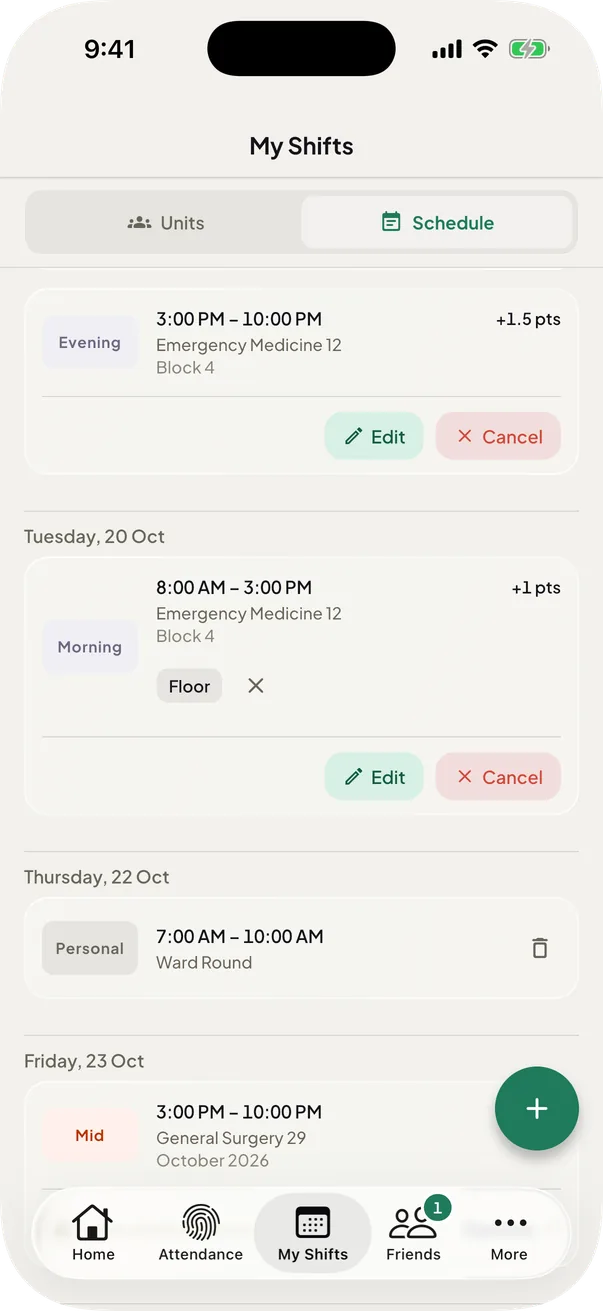
Reminders for your own shifts too
Your own shifts get reminders too.
Shifts you add yourself get the same 12-hour reminder. For imported shifts, switch on Remind me about imported shifts on the Schedule tab.
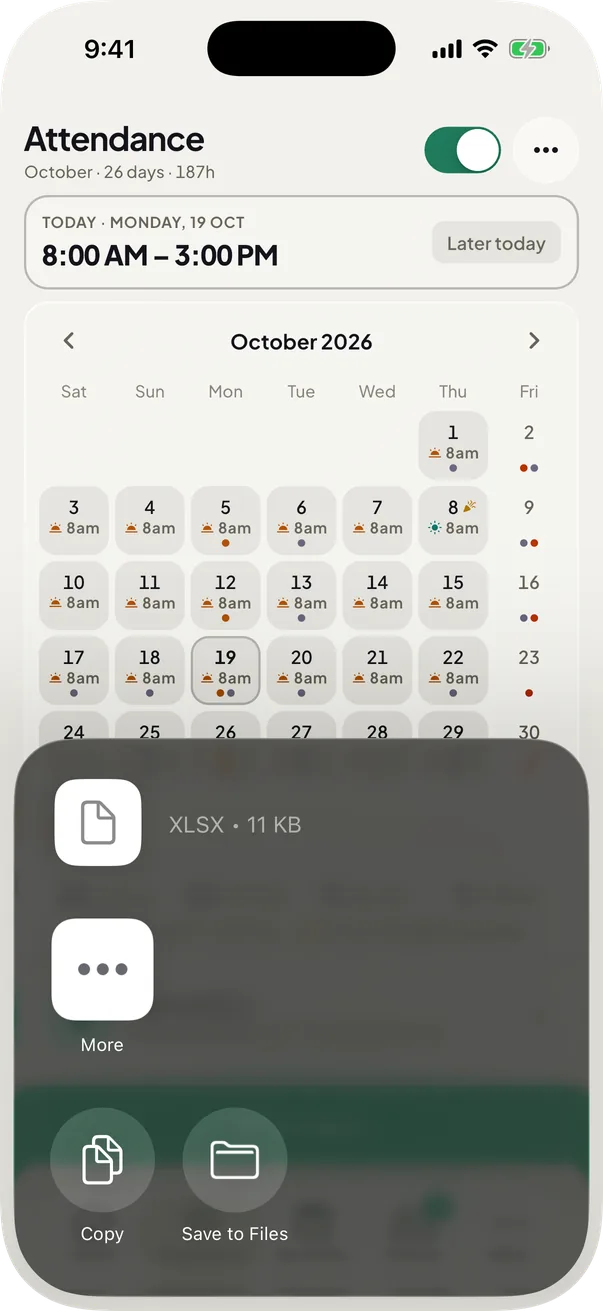
Export your month
Your month as an Excel file you can share.
The file has your month on one sheet and every date with its session, times and hours on another.
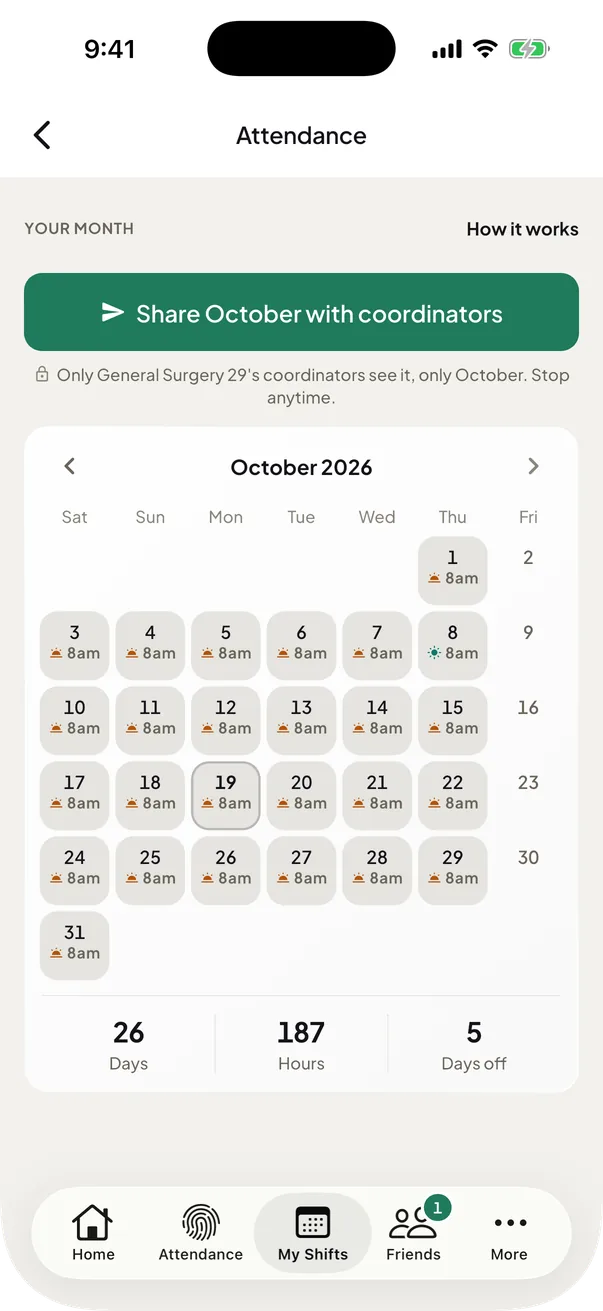
Share your month with your unit
One sheet with every member's attendance month.
A coordinator asks the unit for a month and each member shares theirs. Only the unit's coordinators see it, and you can stop sharing at any time.


Also in Reminders

Attendance reminders
A nudge before your session starts and ends.

Import your office's sheet
Fill your month from your office's Excel sheet.
Public holidays in your month
Holidays are marked and named on your month.
A public holiday wears a mark on its date and is named under the month. A holiday that moves to Thursday is marked on that Thursday. The day takes only the long sessions: Long morning 8:00 AM – 8:00 PM or Long night 8:00 PM – 8:00 AM.


Chapter 06 of 8: At a glance
Your next shift at a glance
Your next shift counts down on your home screen, your lock screen, the Dynamic Island and your wrist.
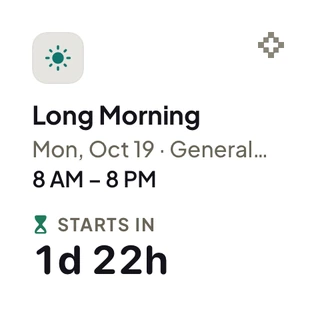
Small home screen widget
A countdown to your next shift.
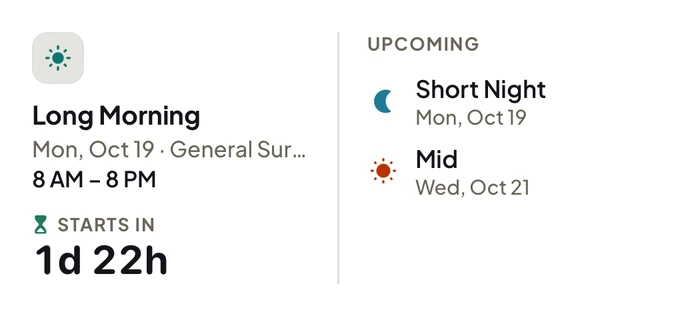
Medium home screen widget
Your next shift, and the shifts after it.
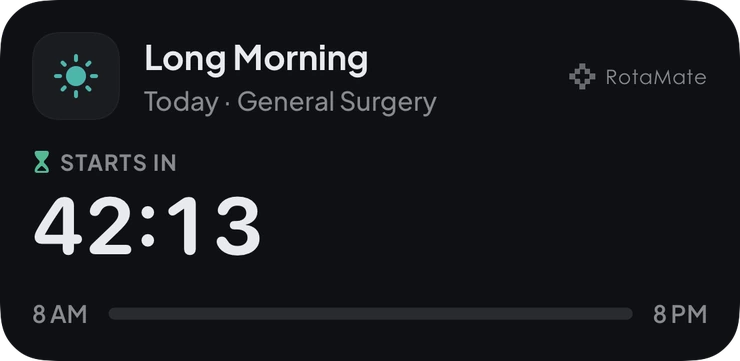
Live Activity & Dynamic Island
A live countdown in the Dynamic Island.

Lock screen card
A live countdown under the clock.

Lock screen week
Your next seven days, under the clock.

Lock screen line
Your next shift, above the clock.

Lock screen ring
A ring that fills as your shift nears.
RotaMate on Apple Watch
Today's shift, swaps and your card on the wrist.
Three pages: today's shift with its countdown, the swap requests waiting on you, and your QR card. A complication puts the next shift on the watch face.
Live shift notification
A live countdown in your notifications.
It starts 12 hours before. Android 16 shows it as a chip in the status bar.
Chapter 07 of 8: On the ward
Know every duty
Once you are there, the question is how the job is done here. Interns wrote it down.
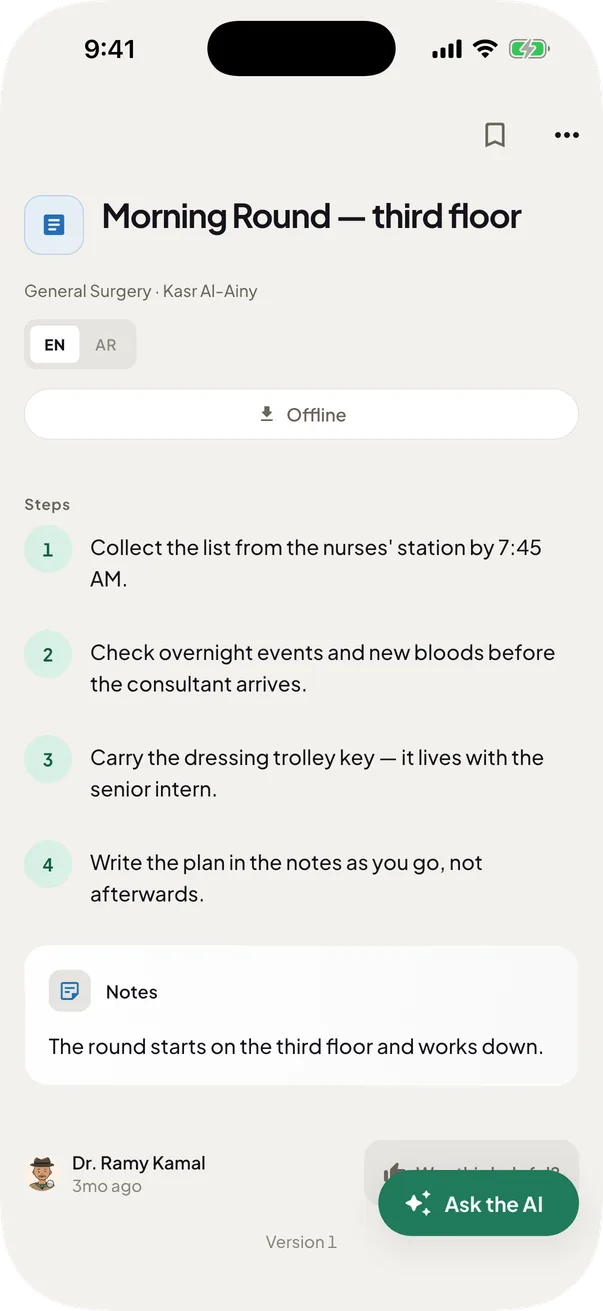
Step-by-step duty guides
How-to guides written by interns.
Each guide carries the tools, steps, tips and common mistakes. Bookmark the ones you use.
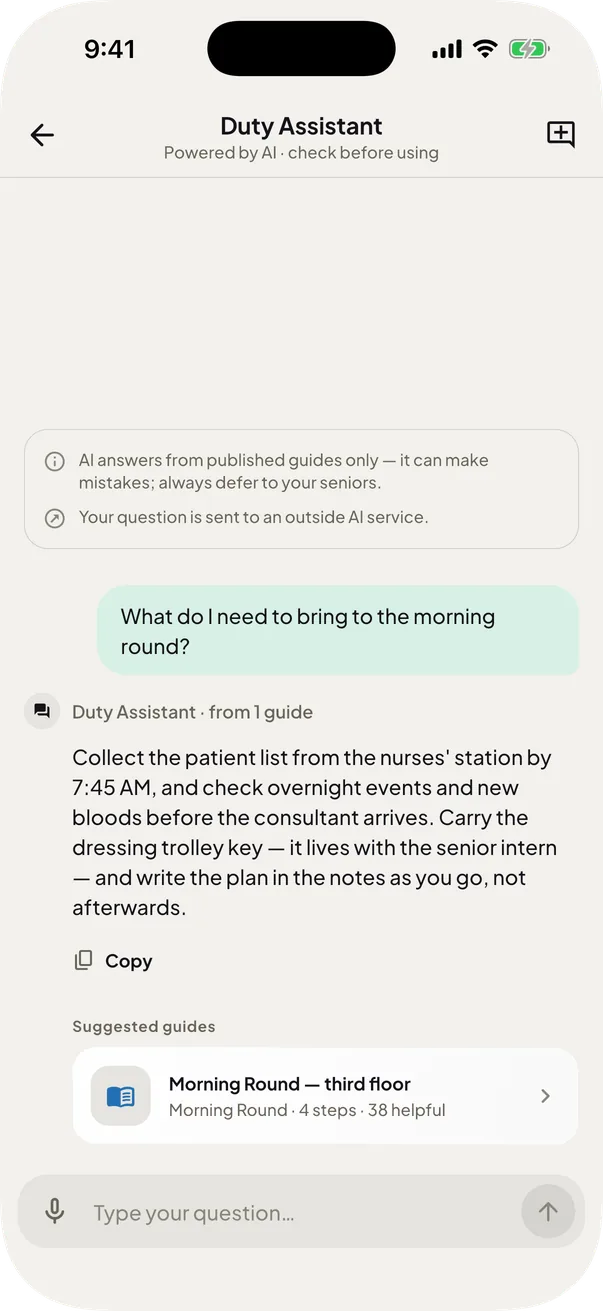
Duty Assistant (AI)
Ask in Arabic or English, get the guide.
Anything it can't answer goes to the team.
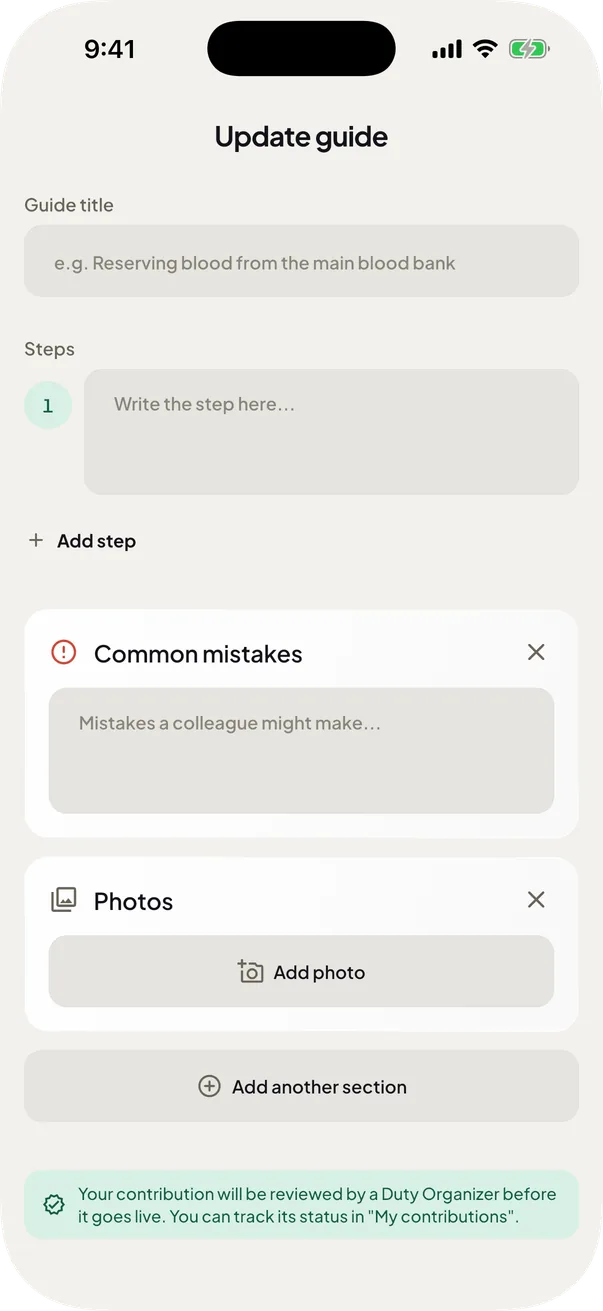
Write a guide
Turn what you know into a guide.
A Duty Organizer reviews your guide before it goes live for everyone.
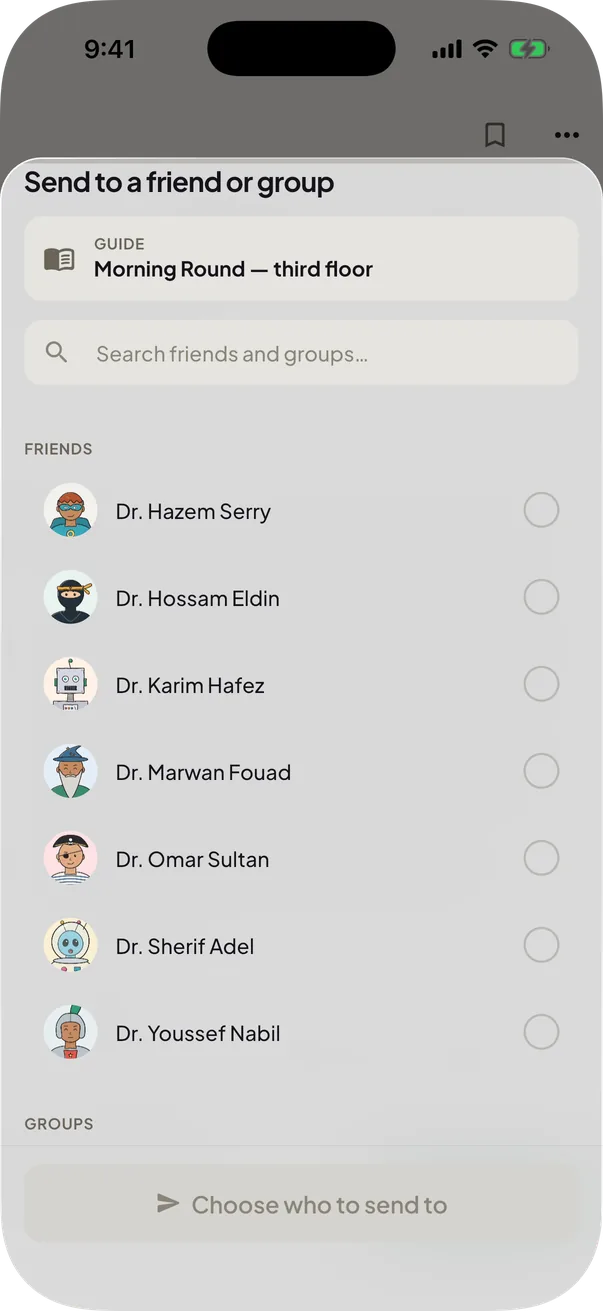
Send a guide to friends
Send a guide to friends and groups.
Pick several friends and groups at once, and add a note.
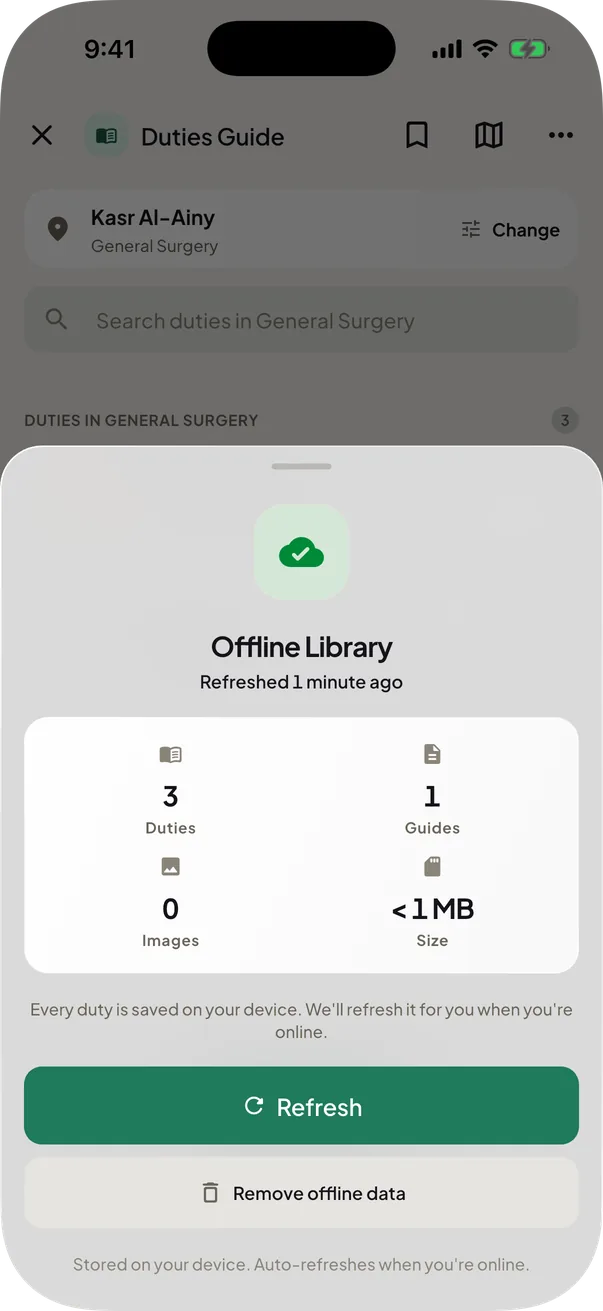
Guides without internet
Read every guide with no signal.
Download every guide and its photos once, then read them anywhere in the hospital.


Chapter 08 of 8: Coordinators
Run your unit with ease
Some interns build the schedule everyone else books. These are the coordinator's tools.
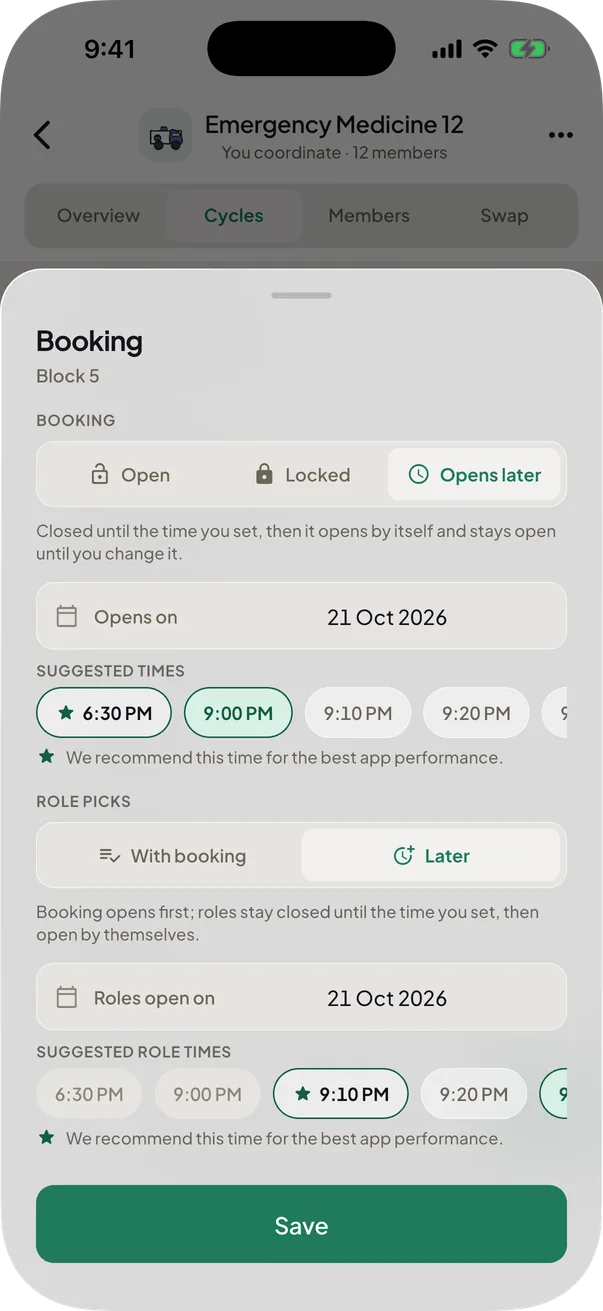
Cycles that open on time
Cycles open by themselves, on time.
Set a cycle to Open, Locked or Opens later. Role picks can open later still. A locked cycle still lets members swap, unless you freeze the schedule.
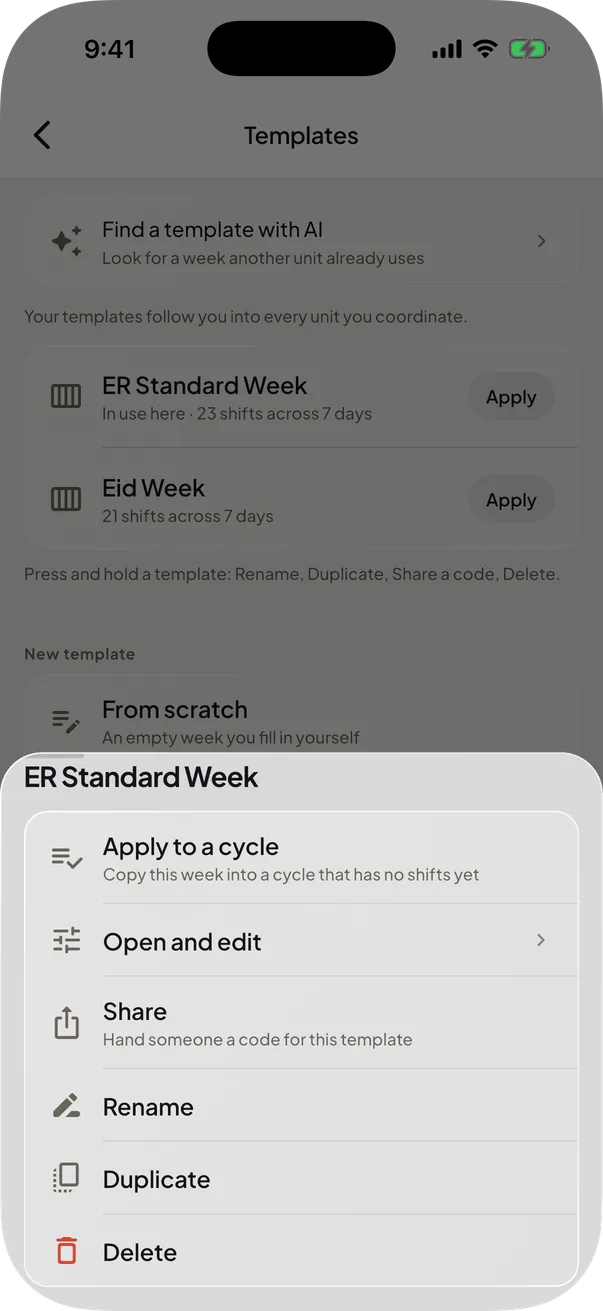
Your templates library
Save a week, reuse it, share it by code.
Build a week once and start any cycle from it. A code or a link someone sends you arrives as your own copy, yours to rename.
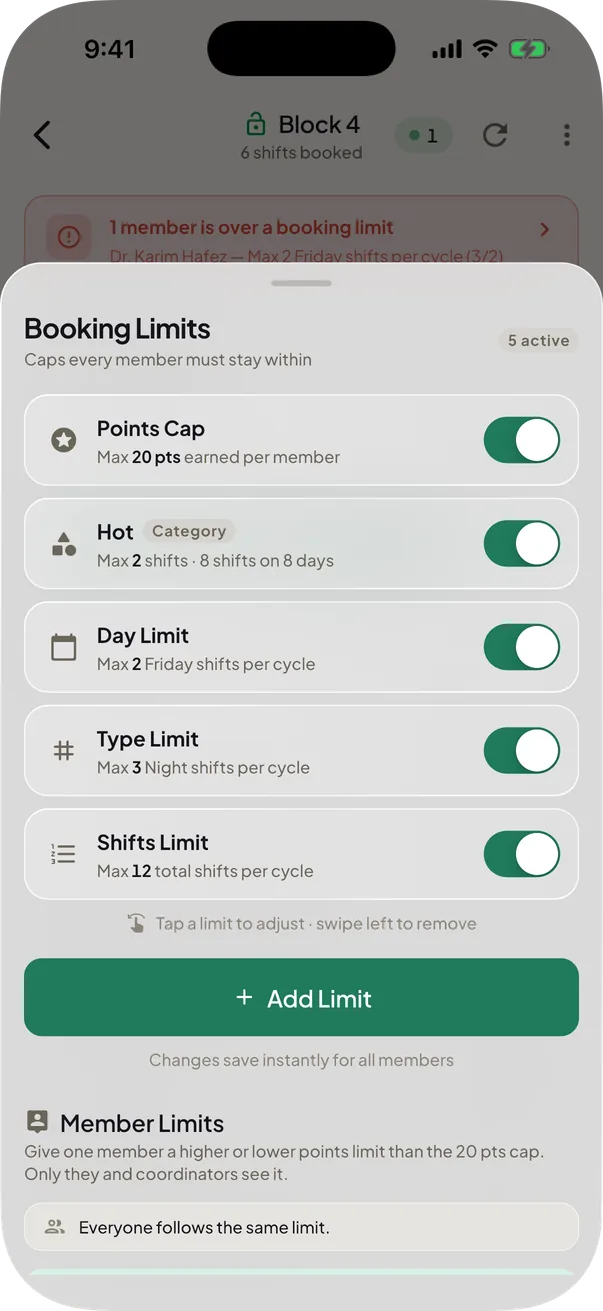
Booking limits
Cap what each intern can book.
Cap shifts per day, per type, or points per cycle. The cap holds on swaps and transfers too, and an even trade always passes.
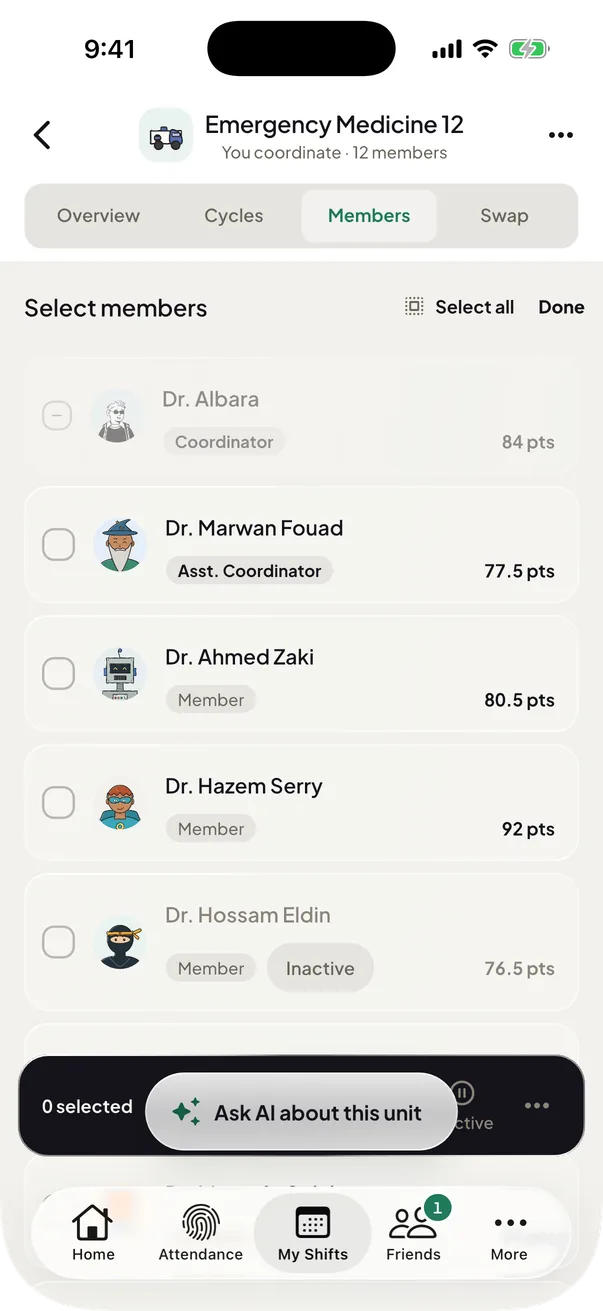
Mark members inactive
Park members who are away for a while.
They sit greyed and labelled at the bottom of the Points tab until the end date. Permissions and points are untouched.
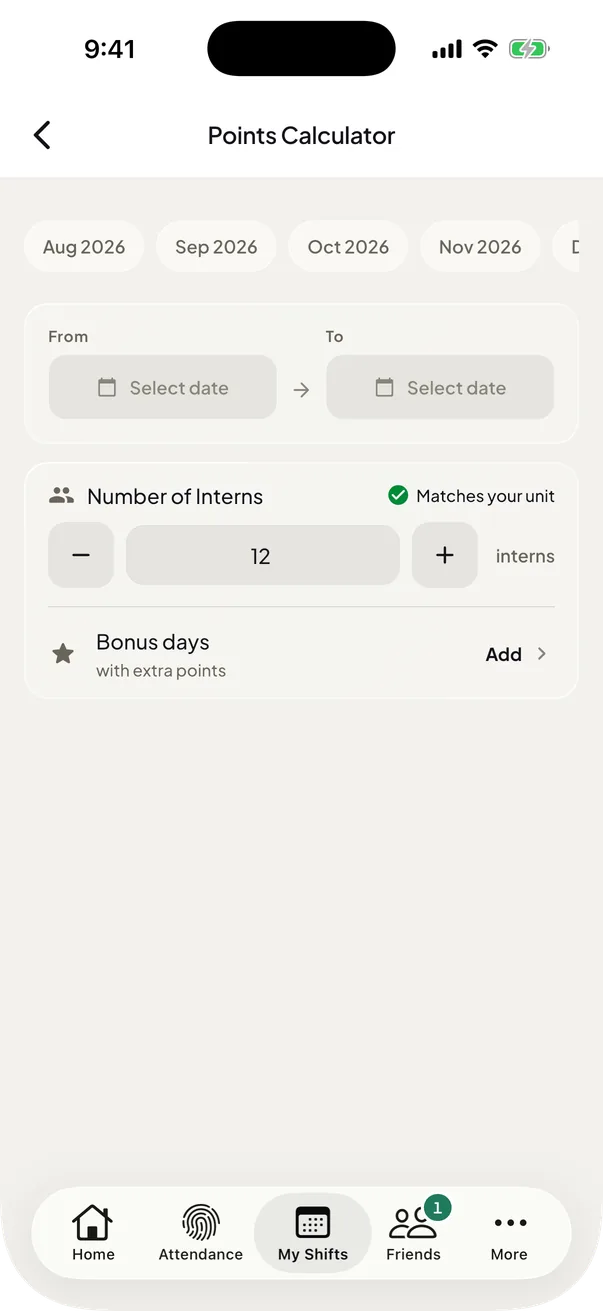
Points calculator & export
Split points and export to Excel.
Work out how points split across interns, and export any cycle to Excel in Arabic or English.
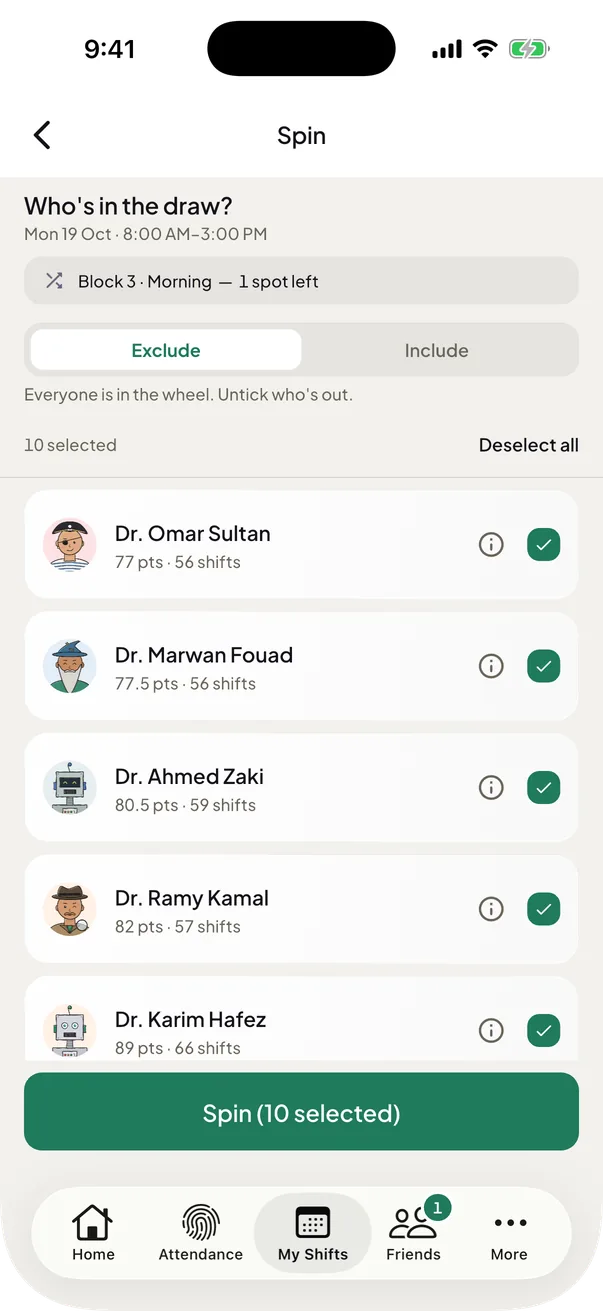
Assign or spin
Assign a shift, or spin for it.
The Spin picks fairly from the members you choose. A clash anywhere is named before you decide.
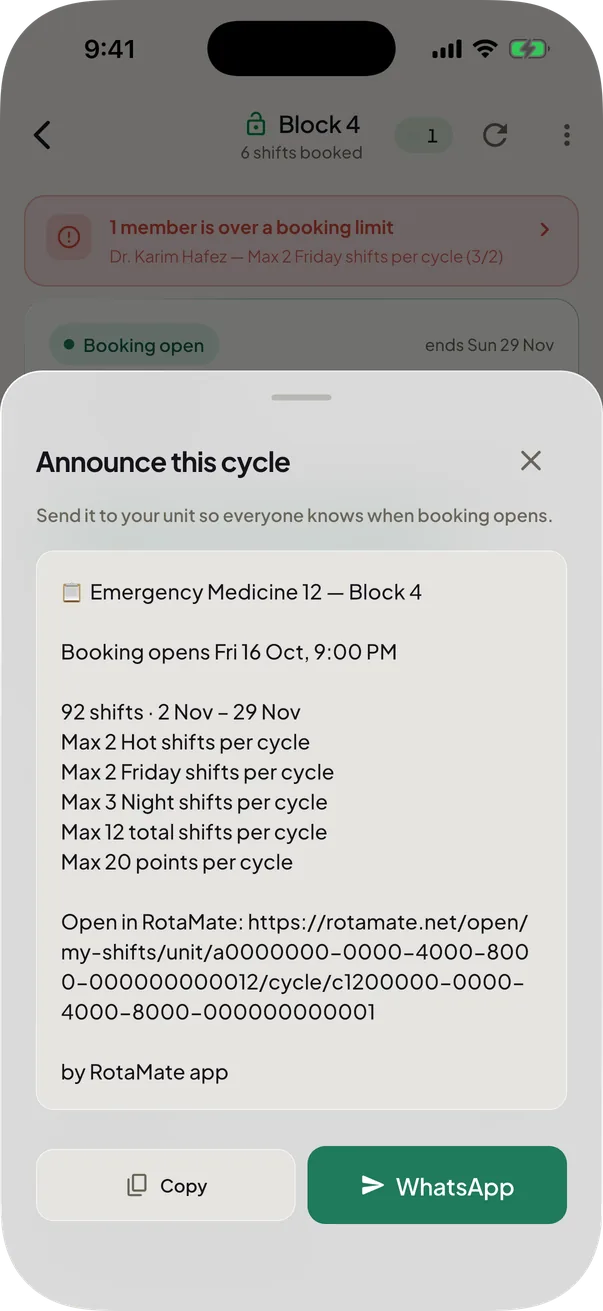
Announce a cycle
A ready-to-send cycle announcement.
Copy the opening time, shift count and rules as one message, or share it on WhatsApp. It ends with a link that opens the cycle.
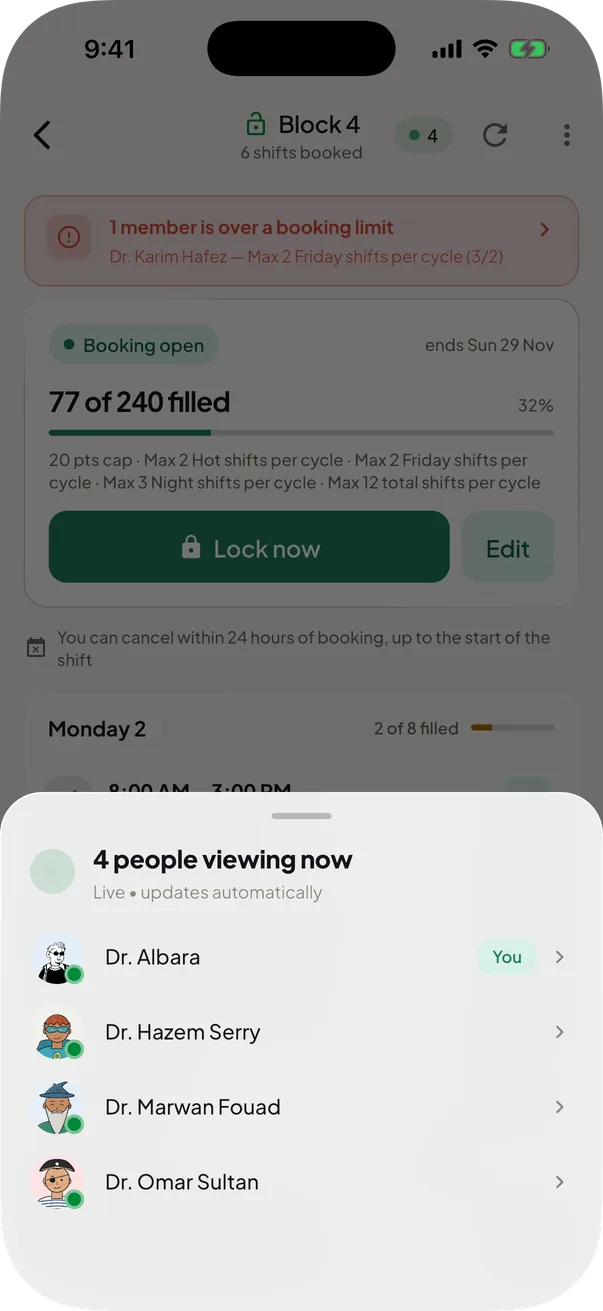
See who is looking at a cycle
See who is on the cycle right now.
A live count sits at the top of a cycle. Tap it for the names of everyone looking at the cycle now. It updates by itself.


Also in For coordinators
Release times you tap
Pick the opening time from the times on offer.
Pick the day a cycle opens and its times appear under it. A time that is taken is greyed, and when every time of a day is taken, more times open.
Holidays, built into a cycle
Egypt's days off are ticked and labelled.
The public holidays inside a cycle are ticked for you. Give them their own shifts or keep the usual ones, and every member sees the Holiday label under the date.
Find a template with AI
Start from a week another unit already uses.
Ask AI looks for a week another unit with the same name already uses. You see the week before you use it, and cycles that already have shifts do not change.
Collect the unit's attendance
Ask once, see who shared, export one sheet.
Ask and every member is notified. See who has shared, remind everyone waiting or only the members you pick, then export one sheet: a name, then a column a day.
That is the whole rotation
All this, for free.
Download RotaMate, join your unit with the code from your coordinator, and book your next shift.

Or point your phone camera at the code.