For medical interns
iPhone · Android · Apple Watch
Everything you need for your internship
RotaMate is the shift companion built for medical interns.
- Book hospital shifts.
- Swap the ones you cannot work.
- Track your points.



01The idea
Your shifts, your swaps, your points and your friends — in one place, in your hand.
One app for your whole internship: booking, swaps, attendance and the people you work with.

- Book in one tap
- Swap inside your unit
- Your points at a glance
02Booking
Book the moment a cycle opens
A cycle tells you when booking opens, how many spots are left and what each shift is worth. Tap Book and the shift is yours. Two people never take the same spot.
Overlaps Evening 3:00 PM – 10:00 PMEvery clash is flagged and named, across units and your own shifts.

03Swaps
Swap the shift you cannot work
Post it on your unit’s swap board, or ask for one specific shift. When a member accepts, both bookings change at once, and roles follow the shift.
No screenshots in the group chat. No asking the coordinator to move names.

04Friends
See who is on with you
Add anyone by ID or QR code. Home shows the friends on duty today, and a friend’s page shows their month: shifts and attendance. Friends Groups keep the chat and the photos beside everyone’s shifts.

05Attendance
A month of attendance
Set one session for every date, or fill the month from your office’s Excel sheet. A reminder arrives before each one starts, and before it ends.
Friends and groups see your attendance days while Attendance is on. Your unit’s coordinators see a month only when you share it.
On a friend’s page, your attendance with no shift of yours around it reads OFF SHIFT.

06Ask AI · Beta
Ask your unit a question
Who is on shift today?
Three shifts today, with who is on each one. Only Night is full.
It handles easy questions and can get things wrong, so check the Points tab for anything that matters.

07Widgets and Apple Watch
On your home screen and your wrist
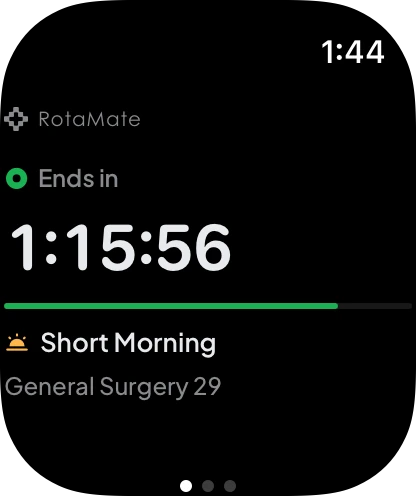
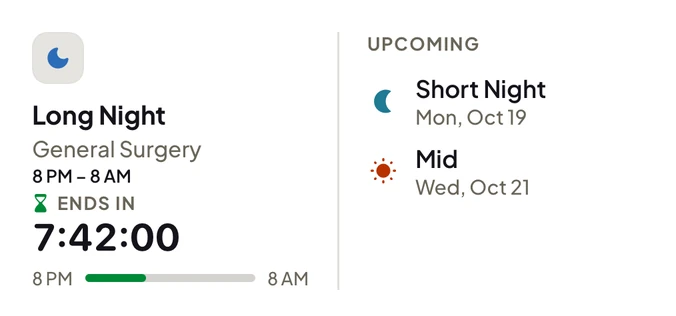
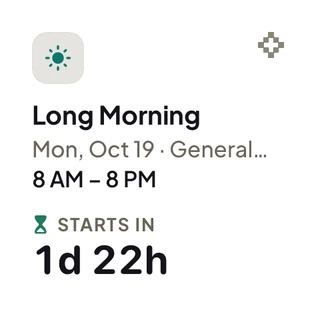
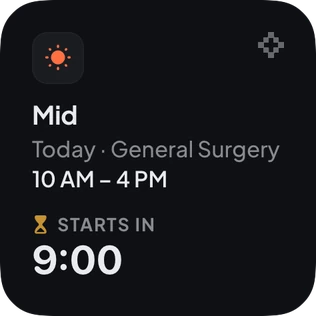
A widget counts down to your next shift, then turns into a live progress bar once it starts. On Apple Watch, see the next shift, answer a swap request and hold up your QR code.
 RotaMate